One of the most valuable parts of being engaged in the Microsoft community is the opportunity to share real-world feedback that helps improve products, content, and community experiences. My contribution is not limited to learning and sharing knowledge. I also actively provide feedback to Microsoft based on what I see from customers, partners, community members, architects, developers, and business leaders.
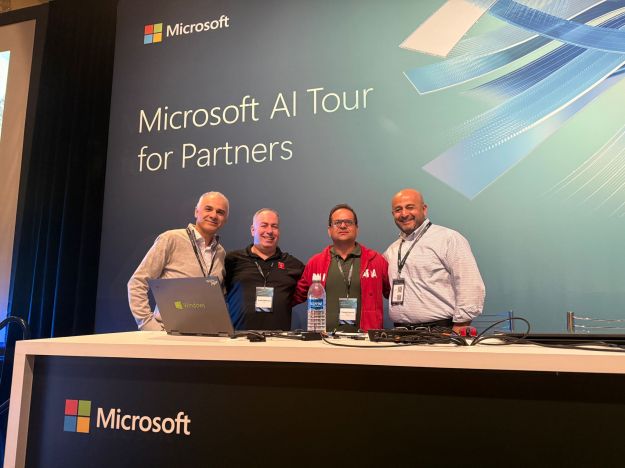
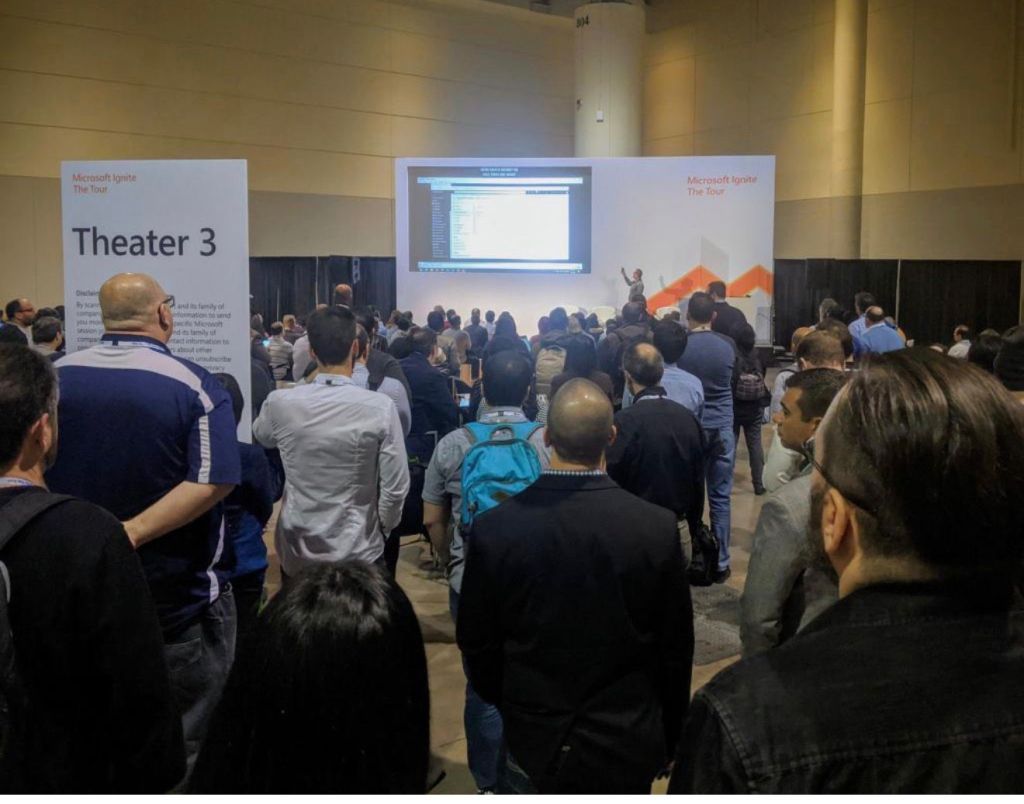
Over the years, I have provided product feedback and content improvement suggestions through several Microsoft community and partner engagement channels, including Microsoft Fabric conferences, MVP PGI Connects, and Microsoft AI Tour for Partners.
Feedback Through Microsoft Fabric Conferences
Microsoft Fabric is a major transformation in the data and analytics ecosystem. Through Fabric-related conferences and sessions, I have shared feedback on how customers and partners understand Fabric adoption, architecture, governance, data engineering, Power BI integration, security, migration patterns, and enterprise readiness.
My feedback often focuses on practical adoption challenges, such as:
How Fabric messaging can be made clearer for enterprise decision-makers
How architecture patterns can be explained more effectively for data teams
How governance, lineage, and security guidance can be strengthened
How content can better address real-world migration scenarios from legacy platforms
How partners can better position Fabric value to customers
This feedback is shaped by real conversations with organizations that are evaluating or adopting Microsoft Fabric. My goal is to help Microsoft improve how Fabric is explained, adopted, and implemented across different industries.
Feedback Through MVP PGI Connects
MVP PGI Connects provide an important platform for direct engagement between MVPs and Microsoft product groups. Through these sessions, I have shared technical feedback, adoption insights, and content improvement suggestions based on community needs and enterprise customer scenarios.
These conversations are valuable because MVPs bring field-level experience from the community. I use these opportunities to highlight what users are asking, where technical content may need more clarity, and what product guidance would help architects, developers, and business leaders make better decisions.
My feedback includes areas such as Azure AI, Microsoft Fabric, data architecture, responsible AI, enterprise governance, and solution design patterns.
Feedback Through Microsoft AI Tour for Partners
The Microsoft AI Tour for Partners has also been an important channel for sharing feedback on AI adoption, partner enablement, and content readiness. As AI becomes a priority for every organization, partners need clear, practical, and business-aligned guidance to help customers move from AI experimentation to production.
Through these engagements, I have provided feedback on:
How AI content can better connect technical capabilities with business outcomes
How partner enablement materials can be more practical and architecture-focused
How Azure AI and Azure AI Foundry messaging can be simplified for customers
How responsible AI, security, and governance should be emphasized early
How partners can be better equipped with real-world demos, use cases, and adoption playbooks
Why This Feedback Matters
Product feedback is powerful because it helps close the gap between product innovation and real-world adoption. Microsoft is building powerful platforms across Azure, Fabric, and AI, but the success of these technologies depends on how clearly they are understood, adopted, and implemented by customers and partners.
By sharing feedback from the field, I help amplify the voice of the community and bring practical insights back to Microsoft. This includes what is working well, what needs more clarity, and where additional content, demos, architecture guidance, or product improvements could create more value.
Final Thought
Yes, I have provided product feedback and content improvement suggestions to Microsoft through Fabric conferences, MVP PGI Connects, and Microsoft AI Tour for Partners. My feedback is grounded in real-world customer conversations, partner enablement needs, and community learning experiences.
For me, this is an important part of being a Microsoft community contributor. It allows me to not only share Microsoft innovation with the community, but also bring community insights back to Microsoft so products, content, and adoption guidance continue to improve.
Artificial Intelligence has moved from experimentation to execution. Organizations are no longer asking whether AI can create value. They are asking how to build AI solutions that are secure, scalable, governed, measurable, and aligned to real business outcomes.
This is where Azure Foundry, now positioned as part of Microsoft Foundry, becomes a strategic platform for enterprise AI transformation. Microsoft Foundry brings agents, models, tools, evaluations, monitoring, and enterprise controls into a unified platform experience for building AI applications and intelligent agents at scale.
The New AI Imperative
The first phase of enterprise AI was focused on excitement. Teams built chatbots, copilots, proof of concepts, and productivity demos. These early wins were important because they helped organizations understand what AI could do.
However, the next phase is much more serious.
Enterprises now need AI solutions that can:
Understand business contextConnect securely to enterprise dataUse the right model for the right workloadSupport agents and automationApply responsible AI controlsMeasure quality and performanceScale across teams and departments
AI is no longer just a technology feature. It is becoming an operating capability.
To harness the full power of AI, organizations need a platform that brings together innovation, governance, security, and execution. Azure Foundry provides that foundation.
What Is Azure Foundry?
Azure Foundry is Microsoft’s enterprise AI platform for building, deploying, managing, and governing AI applications and agents. It provides a unified way to work with models, agents, tools, data connections, evaluations, and operational controls. Microsoft describes Foundry as a platform that unifies agents, models, and tools under a single management grouping with enterprise capabilities such as tracing, monitoring, evaluations, role-based access control, networking, and policy support.
In simple terms, Azure Foundry helps organizations move from AI experiments to AI production systems.
It supports developers, data scientists, architects, and business teams by giving them a structured environment to build intelligent applications that can reason, retrieve information, call tools, and support real business workflows.
Why Azure Foundry Matters
Many AI projects fail not because the model is weak, but because the surrounding enterprise architecture is incomplete.
Common challenges include:
Data is fragmented across systemsAI outputs are not grounded in trusted informationSecurity and access controls are unclearTeams use different tools and modelsEvaluation is inconsistentCosts are difficult to monitorProduction deployment becomes complexGovernance is added too late
Azure Foundry helps solve this by creating an enterprise AI foundation. Instead of building disconnected pilots, organizations can create repeatable AI patterns for copilots, agents, knowledge assistants, document intelligence, workflow automation, predictive analytics, and advanced business applications.
The Architecture View
From an enterprise architecture perspective, Azure Foundry should be viewed as the AI control plane for modern intelligent applications.
Microsoft’s Foundry architecture is organized around a top-level Foundry resource for governance, projects for development isolation, and connected Azure services for capabilities such as storage, search, and secrets management.
A practical architecture can be viewed like this:
Business Users |Web Apps, Teams, Copilot Experiences, APIs |Azure Foundry Projects |Agents, Models, Prompts, Tools, Evaluations |Enterprise Knowledge LayerAzure AI Search, Microsoft Fabric, Databricks, SQL, Data Lake, APIs |Security and GovernanceMicrosoft Entra ID, RBAC, Key Vault, Private Networking, Policy |Operations and MonitoringAzure Monitor, Application Insights, Cost Management, Feedback Loops
This architecture allows organizations to create AI solutions that are not only innovative, but also trusted, secure, and scalable.
Core Building Blocks of Azure Foundry
1. Foundry Resource
The Foundry resource acts as the top-level governance and management boundary. It helps centralize security, connectivity, deployments, and enterprise controls.
This is important for large organizations because AI cannot be managed as a collection of isolated experiments. A centralized resource model helps teams apply consistent governance while still allowing innovation across departments.
2. Projects
Projects provide isolation for development teams, use cases, and workloads. A project may represent a business function, product team, client solution, or environment.
For example:
Customer Service AI ProjectFinance Forecasting ProjectHR Knowledge Assistant ProjectLegal Document Review ProjectField Operations Agent Project
Each project can have its own agents, files, evaluations, tools, and access controls while still operating within the broader enterprise governance model.
3. Models
Azure Foundry provides access to a broad model catalog. Microsoft Foundry Models enables teams to discover, evaluate, and deploy AI models for use cases such as copilots, agents, application enhancement, and custom AI solutions. The model catalog includes models from Microsoft, OpenAI, Meta, Hugging Face, DeepSeek, and others.
This model flexibility is critical. Not every use case needs the largest or most expensive model. A strong AI strategy chooses models based on accuracy, cost, latency, risk, compliance, and business value.
4. Agents
The future of AI is not limited to chatbots. The next generation of enterprise AI will be driven by agents that can reason, retrieve information, use tools, call APIs, and complete tasks.
Microsoft Foundry Agent Service is a fully managed platform for building, deploying, and scaling AI agents. It handles hosting, scaling, identity, observability, and enterprise security so teams can focus on agent logic.
An agent usually includes three key components:
Model: Provides reasoning and language capabilityInstructions: Define goals, rules, and behaviorTools: Connect the agent to data, systems, and actions
This allows AI to move beyond answering questions and begin supporting real business execution.
Enterprise Use Cases
Azure Foundry can support a wide range of AI-driven business scenarios.
Intelligent Knowledge Assistants
Organizations can build AI assistants that search across policies, documents, procedures, contracts, reports, and internal knowledge bases. These assistants can provide grounded responses with enterprise context instead of relying only on general model knowledge.
Customer Service Agents
AI agents can help service teams summarize cases, retrieve customer history, recommend next actions, draft responses, and automate follow-up tasks. This improves speed, consistency, and customer experience.
Document Intelligence
Businesses can use AI to extract information from contracts, invoices, forms, claims, applications, and compliance documents. Combined with workflow automation, this can reduce manual effort and improve operational accuracy.
Predictive Operations
AI can help predict equipment failures, service delays, demand spikes, inventory shortages, and operational risks. This is especially valuable in manufacturing, energy, logistics, healthcare, and financial services.
Executive Decision Support
Azure Foundry can support AI-powered executive insights by connecting business data, KPIs, documents, and analytics into intelligent advisory experiences. Leaders can ask questions, explore scenarios, and receive insight faster.
Responsible AI and Governance
The power of AI must be balanced with trust.
A successful AI platform needs more than model access. It needs governance, monitoring, evaluation, and responsible AI controls. Microsoft Foundry includes enterprise-readiness capabilities such as tracing, monitoring, evaluations, RBAC, networking, and policy configuration.
Key governance areas include:
Who can access the AI system?What data can the AI use?How are responses evaluated?How are unsafe outputs prevented?How is model performance monitored?How are costs tracked?How are decisions audited?
Without governance, AI creates risk. With governance, AI becomes a trusted enterprise capability.
The Role of Retrieval-Augmented Generation
One of the most powerful patterns in enterprise AI is Retrieval-Augmented Generation, often called RAG.
RAG allows AI systems to retrieve trusted information from enterprise sources before generating a response. This helps improve accuracy, relevance, and transparency.
A typical RAG pattern with Azure Foundry looks like this:
Enterprise Data SourcesSharePoint, PDFs, SQL, Fabric, Databricks, APIs |Data Processing and IndexingChunking, embeddings, metadata, vector search |Azure AI Search or Knowledge Store |Azure Foundry Agent or AI Application |Grounded Response with Business Context
Microsoft’s baseline Foundry chat reference architecture describes an enterprise chat application where an agent receives user messages and queries data stores to retrieve grounding information for the language model. It also describes secure deployment patterns using private networking and private endpoints.
This is the difference between a generic chatbot and a trusted enterprise AI assistant.
Best Practices for Harnessing AI with Azure Foundry
To successfully adopt Azure Foundry, organizations should follow a structured approach.
Start with Business Value
Do not start with the model. Start with the business problem. Identify where AI can reduce cost, improve speed, increase revenue, improve customer experience, reduce risk, or unlock new capabilities.
Build a Reusable Architecture
Avoid one-off AI pilots. Create reusable patterns for RAG, agents, document processing, workflow automation, evaluation, and monitoring.
Choose the Right Model
The best model is not always the biggest model. Select models based on business requirements, performance, accuracy, cost, privacy, latency, and scalability.
Design Security Early
Security must be included from the first architecture conversation. Use identity, RBAC, Key Vault, private networking, monitoring, and policy controls from the beginning.
Evaluate Continuously
AI quality must be measured continuously. Track accuracy, groundedness, safety, latency, user satisfaction, task completion, and business impact.
Treat AI as an Operating Model
AI success requires more than technology. It requires people, process, governance, training, adoption, and continuous improvement.
Final Thought
Azure Foundry represents a major step forward in how enterprises build and scale AI. It brings together the core ingredients needed for modern AI transformation: models, agents, tools, data, governance, security, evaluation, and operations.
The organizations that succeed with AI will not be the ones that build the most demos. They will be the ones that build trusted, governed, scalable AI capabilities that solve real business problems.
Harnessing the power of AI is not about replacing human intelligence. It is about amplifying it.
With Azure Foundry, enterprises have the opportunity to turn AI from a promising experiment into a strategic engine for innovation, productivity, and business transformation.
Fabric IQ and Foundry IQ create a shared intelligence layer that connects data, analytics, and AI agents across your enterprise, turning raw information into contextual understanding for smarter decisions.
This unified approach eliminates silos by providing semantic consistency—agents now grasp business concepts like “Q3 sales performance” across Fabric’s OneLake and Foundry’s knowledge bases, reducing errors and speeding workflows.
Core Components of the IQ Layer
Fabric IQ adds business logic to OneLake data with Maps, Graphs, and Digital Twins, enabling spatial and relational analysis. Foundry IQ powers agentic retrieval via Azure AI Search, automating RAG pipelines for multimodal data while enforcing Purview governance.
Work IQ integrates Microsoft 365 signals like Teams conversations, creating a “one brain” for agents that blends quantitative Fabric data with qualitative context—no more hallucinations from poor grounding.
Real-World Manufacturing Example
A manufacturer models factory disruptions in Fabric IQ Graphs. Foundry IQ agents prompt: “Analyze Line 3 downtime ripple effects on orders.” The system queries live streams, predicts delays, and auto-alerts via Teams, cutting response times 70%.
Retail Digital Twin in Action
Retailers use Fabric IQ Digital Twins for store IoT data. Foundry agents optimize: “Adjust shelf stock by foot traffic and sales.” Results include visuals, forecasts, and auto-reorders, lifting margins 15% with zero custom code.
Getting Started Roadmap
Enable in F64+ capacities, link via Data Agents, pilot sales/ops queries. Track insight velocity to justify scale-up.
5 Practical Use Cases: Fabric Data Agents Powering Foundry HR and Sales Copilots
Fabric Data Agents bridge natural language to enterprise data, fueling Foundry copilots for HR and sales teams with secure, real-time insights.
These agents auto-generate SQL, KQL, or DAX over OneLake, letting non-technical users query without IT—perfect for high-velocity business decisions.
HR Copilot: Staffing Insights
HR prompts Foundry: “Show staffing gaps by role and region.” Data Agent scans Fabric warehouses, returns trends with turnover risks, embedded in Teams for instant action—slashing recruitment delays 40%.
Sales Performance Copilot
Sales managers ask: “Top lost deal reasons with revenue impact.” Agent pulls Fabric lakehouse transactions, generates infographics, and suggests upsell targets—boosting close rates 25%.
Productivity Analytics
“Analyze team output vs. benchmarks.” Combines Fabric metrics with 365 signals via Foundry IQ, spotting burnout patterns for proactive interventions.
Compliance Queries
“Flag policy violations in Q4 hires.” Grounds responses in Purview-governed data for audit-ready reports.
Deployment Tips
Publish agents from lakehouses/warehouses, connect in Foundry projects. Start with 5-10 queries, measure time savings.
Azure AI Foundry and Microsoft Fabric together create the backbone for unified data estates that power intelligent agents, turning fragmented silos into a single source of truth for AI-driven decisions across enterprises.
This stack unifies multi-modal data in Fabric’s OneLake while Foundry agents query it securely, enabling the agentic world where AI handles complex reasoning over real enterprise data without custom integration.
The Power of Data Unification
Fabric consolidates lakehouses, warehouses, pipelines, and real-time streams into OneLake, eliminating data movement and enabling governance at scale with Purview lineage.
Foundry builds on this by connecting agents to Fabric Data Agents—endpoints that translate natural language to SQL, KQL, or Spark code—grounding responses in governed datasets for hallucination-free insights.
Developers get SDKs, notebooks, and MLOps for full lifecycles, while business users prompt agents in Teams or apps for instant analytics, accelerating from PoC to production.
Case Study 1: Gay Lea Foods Accelerates Reporting with Fabric
Canadian dairy co-op Gay Lea Foods struggled with slow, manual reporting across supply chain data. They unified 100TB of operational data in Fabric lakehouses and warehouses, cutting report generation from days to minutes.
Real-Time Intelligence processes live inventory streams; Power BI visuals embed in Teams for plant managers. Adding Foundry agents, ops teams now ask “Predict milk production shortfalls by farm,” blending Fabric queries with predictive reasoning for 30% faster decisions.
Results: Reporting time slashed 80%, supply chain efficiency up 25%, with full audit trails for compliance—all on F64 capacity with auto-scaling.
Case Study 2: Global Retailer Masters Demand Forecasting
A major retailer faced siloed POS, e-commerce, and supplier data, leading to stockouts during peaks. Fabric pipelines ingest petabyte-scale streams into OneLake, with Spark jobs running ML baselines on lakehouses.
Foundry agents link via Data Agents: “Forecast holiday demand by SKU, factoring weather and promotions.” Agents orchestrate KQL on eventhouses, SQL on warehouses, and return visuals with confidence scores embedded in Dynamics 365.
Impact: Forecast accuracy improved 35%, inventory costs down 22%, and non-technical buyers access insights via chat—scaling to 500 stores without added headcount.
Key Capabilities Fueling the Agentic Shift
OneLake acts as the semantic layer, with shortcuts to external sources like Snowflake or S3, feeding Foundry’s 1400+ connectors for hybrid data unification.
Agentic workflows shine: Foundry IQ evaluates responses against Fabric ground truth; multi-agent systems divide tasks like “Query sales data, then optimize pricing via ML.” Copilot accelerates Fabric notebooks 50% for prep work.
Gartner’s 2025 Leaders status confirms this—Microsoft tops vision/execution for AI apps and data integration, powering 28K Fabric customers with 60% YoY growth.
Security layers include passthrough auth, RBAC, encryption at rest/transit, and Purview for lineage, making it enterprise-ready for regulated sectors.
Why This Drives the Agentic World
Enterprises shift from dashboards to agents because unified data + orchestration = reliable AI at scale. Fabric handles volume/variety; Foundry adds reasoning/tools for outcomes like auto-remediation or cross-system actions.
Customers see 40-60% dev savings, 25%+ prediction gains, and seamless Teams/Power App embedding—unlocking ROI where legacy BI falls short.
Roadmap and Strategic Advice
Microsoft roadmap deepens integration: Global fine-tuning in Foundry, adaptive Fabric capacities, and edge agents via Azure Arc for IIoT unification.
Data leaders: Pilot Fabric on top workloads, expose Data Agents for 5-10 queries, then deploy Foundry pilots in sales/ops. Measure time-to-insight and scale via reservations.
This duo doesn’t just unify data—it builds the agentic world where AI acts on your estate autonomously.
Azure AI Foundry (now branded simply as Microsoft Foundry) is a unified environment to design, build, evaluate, and operate AI applications and agents at scale. It brings together model catalog, orchestration, security, governance, and MLOps in a single, enterprise-ready experience.
It provides access to a broad catalog of foundation models, including OpenAI GPT, Anthropic Claude, and other third-party or open-source models under one roof.
Teams can collaborate in projects that bundle datasets, prompts, tools, agents, and deployment assets with built-in lifecycle management.
Key Capabilities That Matter
Under the hood, Azure AI Foundry is much more than a model playground; it is an opinionated platform for building production workloads.
Unified development experience: SDKs, CLI, and a portal provide consistent workflows with versioning, reusable components, and integrated notebooks for end-to-end AI development.
Agentic experiences: Foundry Agent Service enables multi-agent orchestration, tool usage via Model Context Protocol, and deep integration into Microsoft 365 and business systems.
Native MLOps: Built-in pipelines support training, evaluation, deployment, and monitoring of models with CI/CD via GitHub and Azure DevOps.
Governance, Security, and Responsible AI
For enterprises, AI is only real when it is secure, governed, and compliant. Azure AI Foundry leans heavily into these requirements.
Enterprise governance: Role-based access control, audit trails, and project-level isolation help segment workloads and protect sensitive assets.
Data control: Organizations can bring their own storage and Key Vault, ensuring data residency, encryption, and retention align with internal policies.
Risk and safety tooling: Content filtering, policy configurations, and evaluation workflows support responsible AI practices across models and scenarios.
Architecting Real-World Use Cases
The real power of Foundry shows up when it is applied to concrete business problems.
RAG and knowledge agents: Foundry makes it straightforward to build Retrieval-Augmented Generation experiences over secured enterprise data, reducing the need for heavy fine-tuning.
Line-of-business copilots: With connectors into Microsoft 365, Dynamics, and hundreds of SaaS systems, you can design agents that work across email, documents, CRM, and operations data.
Edge and hybrid scenarios: Support for cloud, on-premises, and edge deployment enables predictive maintenance, IoT analytics, and offline/low-connectivity use cases.
Strategic Guidance for Data & AI Leaders
For architects and data leaders, Azure AI Foundry is not just another service; it is a strategic control plane for enterprise AI.
Treat Foundry as the standard entry point for generative AI, with central governance over models, prompts, tools, and data connections.
Align AI projects with existing data platforms (Fabric, Synapse, lakehouses) and security baselines, so Foundry becomes an extension of your broader data and cloud strategy—not a silo.
Start with high-impact, low-friction scenarios—knowledge copilots, developer productivity, and customer service—and then scale into multi-agent, cross-domain workflows as maturity increases.