I am speaking on IoTCoast2Coast on ‘Optimize cloud costing by using Azure well-Architected framework’ along with Nik on Wed, October 20, 2021 6:00 PM – 7:30 PM CST
#azure #mvpbuzz #costoptimization Saskatoon Tech Talks
Register below :

I am speaking on IoTCoast2Coast on ‘Optimize cloud costing by using Azure well-Architected framework’ along with Nik on Wed, October 20, 2021 6:00 PM – 7:30 PM CST
#azure #mvpbuzz #costoptimization Saskatoon Tech Talks
Register below :
If data sources are installed at a long distance from the stakeholders who control the operation, timely notifications are required.
Agriculture, mining, power generation, oil and gas, and other industries can all benefit
Technologies used: Azure Databricks, Python, pyspark, Scala, Power BI
Data sources: Sensors – like heat, humidity, water leakage, electric meters, drones sending data to iot hub.
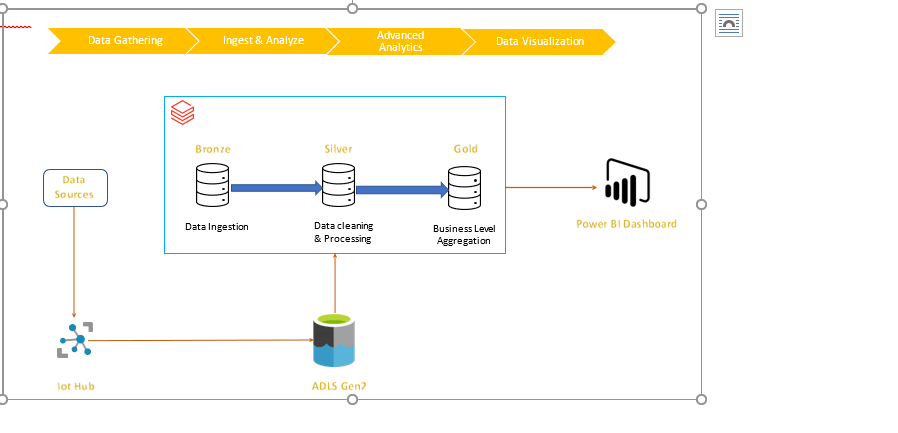
Solution description: Data from IOT sources are loaded into ADLS Gen2. A checkpoint is created, and autoloader is configured to load and maintain the data. Lastly Azure data bricks bronze, silver & gold tables are created which supplies data to power BI dashboards based on business rules.
Architecture:
Solution Details:
Step 1: Initial configuration, autoloader & load data

Data from various sources are periodically copied to iot-hub, Now, once file is loaded, autoloader tool ingests this data to azure data lake storage gen2 (ADLS Gen2) databricks mount.
Step 2: Create Delta Lake Bronze table
All raw data in csv format can be ingested to bronze table. Basically, it is complete load of all data received.
Step 3: Data processing in Silver Table
This is one of the major steps and in this solution, data processing is performed and cleaned data is saved in silver table.
Step 4: Data processing in Gold Table
In this step, as per business requirements, business logic is applied, and alerts columns are created. This is applied on current load.
Step 5: Dashboard (Power BI):
Gold table is source for Power BI dashboard. This dashboard can help user to sort the existing alert get more details about it. User can also see different analytics on the dashboard.
Based on business mandate, email notification is sent to stake holders
Code Details:
Initial Connection
import json
import csv
import pyspark
from pyspark.sql import SparkSession
configs = {“fs.azure.account.auth.type”: “OAuth”,
“fs.azure.account.oauth.provider.type”: “org.apache.hadoop.fs.azurebfs.oauth2.ClientCredsTokenProvider”,
“fs.azure.account.oauth2.client.id”: dbutils.secrets.get(scope = “ Scope “, key = “<your ID >”),
“fs.azure.account.oauth2.client.secret”: dbutils.secrets.get(scope = “Scope“, key = “Your Key“),
“fs.azure.account.oauth2.client.endpoint”: “https://login.microsoftonline.com/—2222-497b-xxxx-XXXXXX/oauth2/token” }
adlsPath = “<<my-name>@<my-organization.com>>” # Source
mountPoint = “<Mount point Path>” # Upload Path – # Destination
print(f”adls Path: {adlsPath} “)
print(f”Client Secret : {configs} “)
display(dbutils.fs.ls(“Mount point Path “))
Autoloader configuration
# Run the following code for autoloader configuration
checkpoint_path = ‘/Mount point Path/_checkpointname/’
import json
import csv
from pyspark.sql.functions import input_file_name
cloudfile = {
"cloudFiles.format": "csv",
"cloudFiles.schemaEvolutionMode": "addNewColumns",
"cloudFiles.inferColumnTypes": "true",
"cloudFiles.includeExistingFiles": "true",
"cloudFiles.allowOverwrites": "false",
"cloudFiles.schemaLocation": "/Mount point Path /_checkpointname/",
"rescueDataColumn":"_rescued_data",
"cloudFiles.useNotifications":"false"
}
# Set up the stream to begin reading incoming files from the Mount point Path location.
df = (spark.readStream.format("cloudFiles").options(**cloudfile).load('/Mount point Path/StreamingLog) withColumn("filePath",input_file_name())) # this adds a column with file name
Create Dataframe using new uploaded data
Here checkpoint is tracking or keeping a record of all the files that are uploaded to mountpoint. newly uploaded files those don’t have any record in checkpoint is loaded at DELTALAKE_BRONZE_PATH
# Start the stream & write the data
DELTALAKE_BRONZE_PATH = "dbfs:/FileStore/Bronze_StreamingLog "
df.writeStream\
.format("delta")\
.outputMode("append")\
.option("checkpointLocation", "/Mount point Path /_checkpointname/")\
.trigger(once=True)\
.start(DELTALAKE_BRONZE_PATH)
Create Delta Lake Bronze table
# Register the SQL table in the database
spark.sql(f"CREATE TABLE IF NOT EXISTS <Bronze_Tablename> USING delta LOCATION '{DELTALAKE_BRONZE_PATH}'")
# Read the table
streaminglog_stats = spark.read.format("delta").load(DELTALAKE_BRONZE_PATH)
display(streaminglog_stats)
Silver & Gold Table: Once data is uploaded into the bronze table, all data cleaning and ETL can be performed on it and clean data can be saved into the silver table.
# Configure destination path
DELTALAKE_SILVER_PATH = "dbfs:/FileStore/Silver_StreamingLog "
# Write out the table
streaminglog_stats.write.format('delta').mode('overwrite').save(DELTALAKE_SILVER_PATH)
# Register the SQL table in the database
spark.sql("CREATE TABLE if not exists <Silver_Tablename> USING DELTA LOCATION '" + DELTALAKE_SILVER_PATH + "'")
# Read the table
streaminglog _stats = spark.read.format("delta").load(DELTALAKE_SILVER_PATH)
display(streaminglog _stats)
After formation of silver table, all business rules are applied, and gold table is created. This is the source for all reporting, dash boards and reporting tools, (Power BI) in our case.
Happy to share that my interview on #Canadian public sector and Cloud Adoption published at @mscloudnews1 . Here is the link for reference :

Thanks Eamon McCarthy Earls and MSCloudNews.com team for reaching out to me!!
And here is mine 4th Microsoft MVP Award kit. Still feels the same level of excitement as always!!
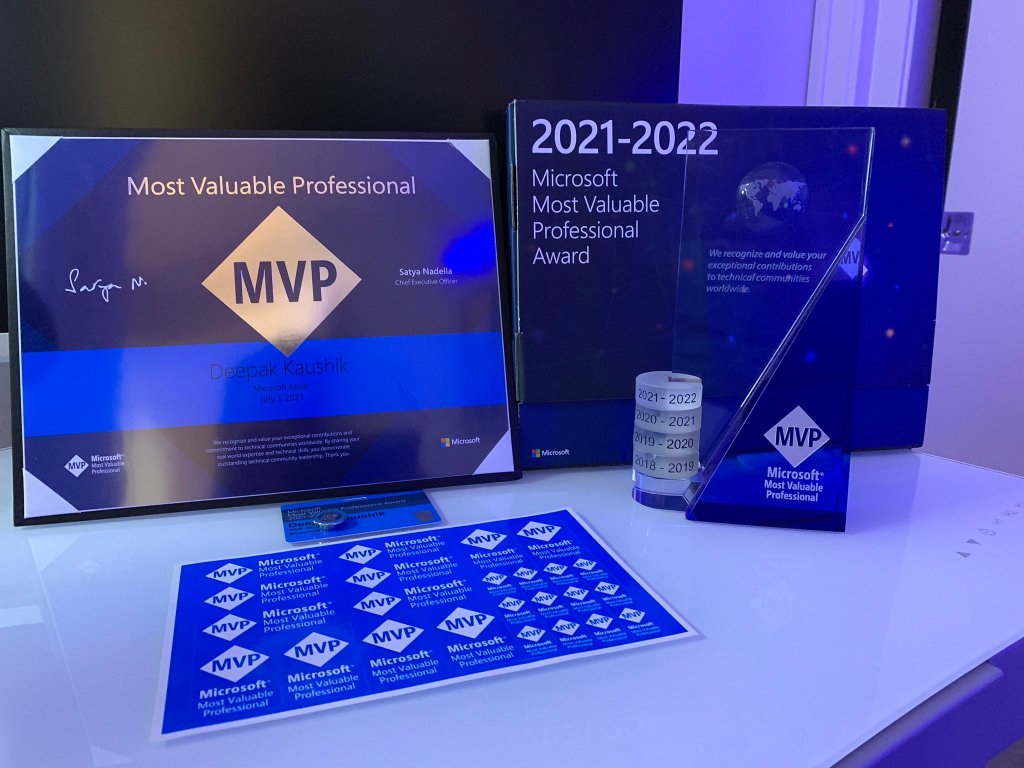

Thank you Microsoft Most Valuable Professional (MVP) Award team and Christian Talavera for your support to the community and all the beautiful work and opportunities!!
#Microsoft#MVP#MicrosoftMVP#MVPBuzz#CDNMVP#AzureMvp#azure#msftadvocate#microsoftazure
I am always Grateful, Thrilled to receive the confirmation email (below) from the Microsoft Most Valuable Professional (MVP) Award team confirming my award renewal for the 2021-2022. This is my fourth consecutive award since receiving my first one on 2017.
The MVP award has provided me with some great opportunities in terms of my career growth, skill development, and various avenues to give back and help others in the IT Professional community.

This is my 4th MVP Award and I am very obliged for this honor and for the various opportunities provided to me over time. Thank you very much for making me successful in my efforts as a MVP and community guy. It’s possible with the inspiration from the community, friends, mentors, my mentees who keep me on my toes. Finally wonderful Program Managers at Microsoft , my family and the God. Thank you!
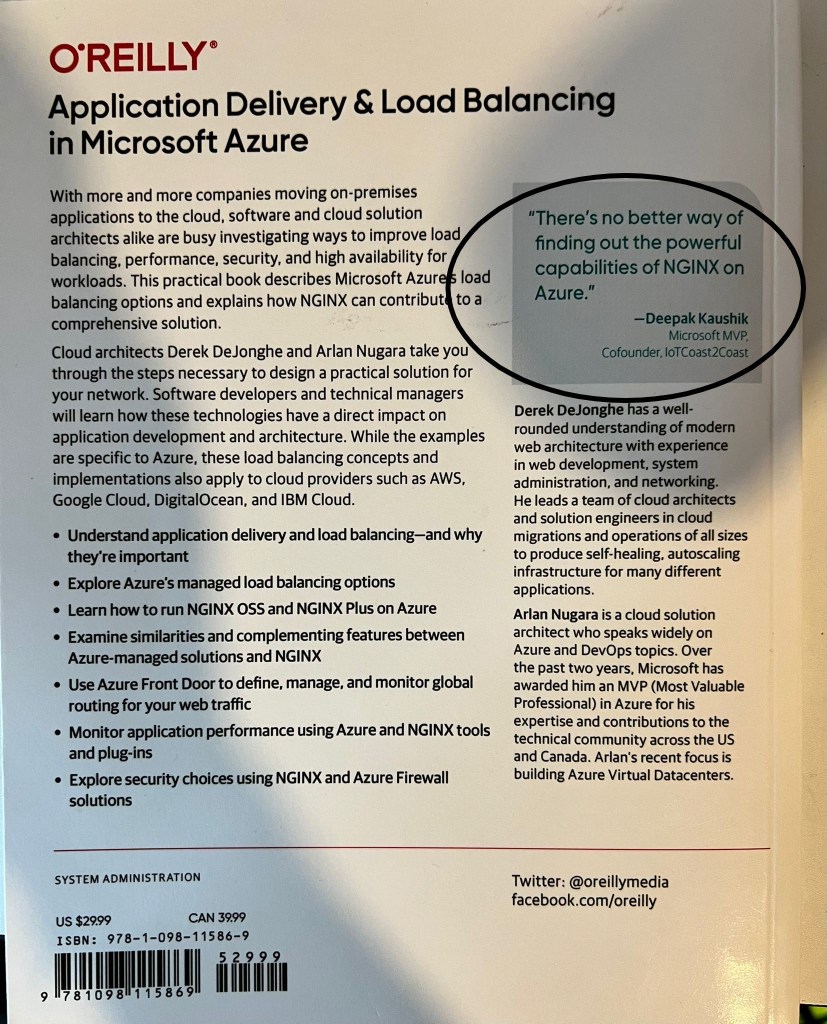
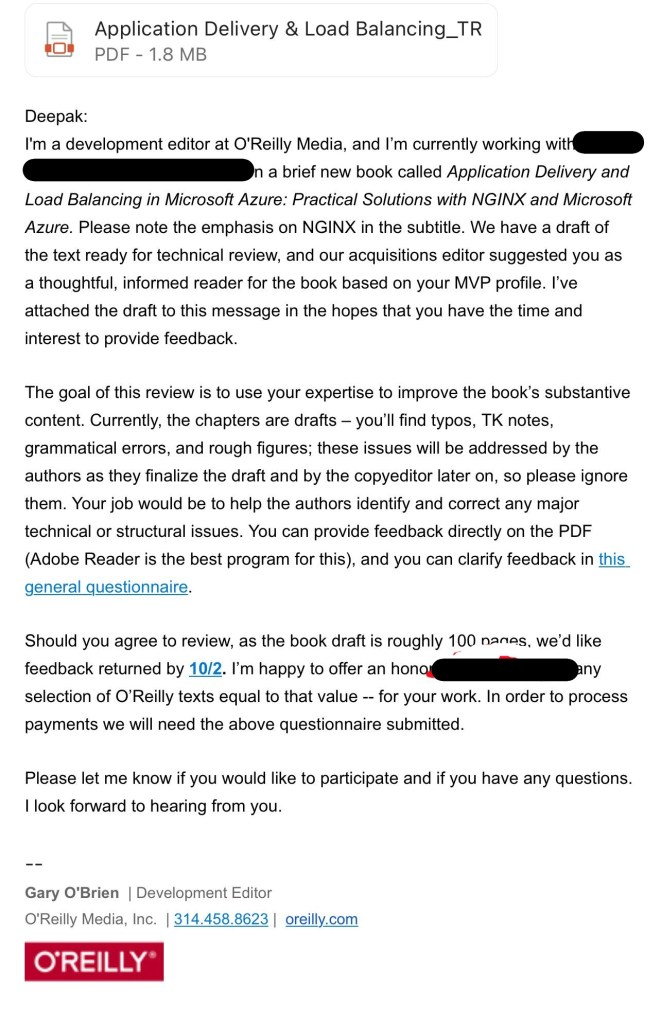
It’s a privilege to review the technical book “Application Delivery and Load Balancing in Microsoft Azure: Practical Solutions with NGINX and Microsoft Azure.”
My role was to assist the authors in identifying and correcting any major technical or structural errors, as well as providing up-to-date technical information.

So happy to contribute as volunteer on ‘Global Power Platform Bootcamp 2021’ with my friends!!

#GlobalPowerPlatformBootcamp#GPPB2021#PowerPlatform
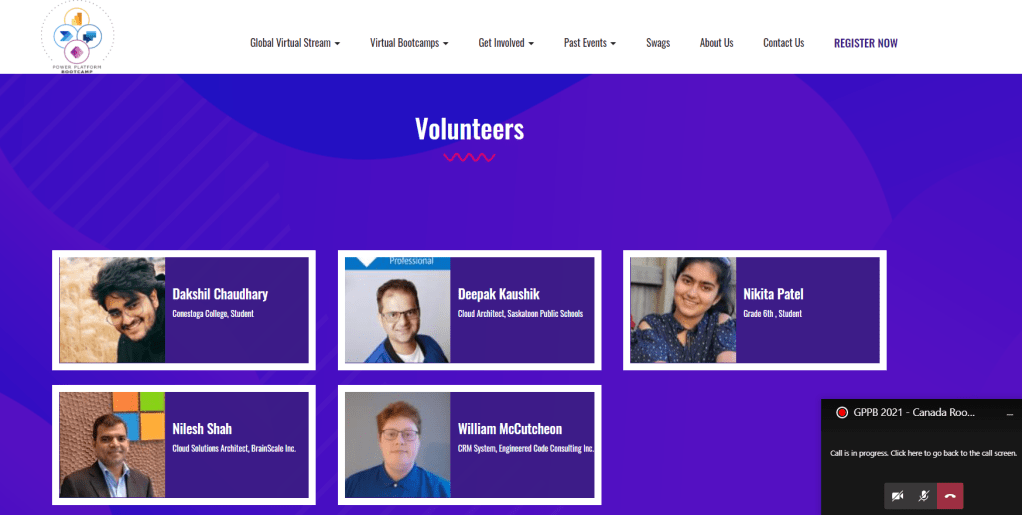
Thanks everyone..
Recently worked on the SCCM at PowerBI template after 2018. However, it was hard for me to find the template and resources. So decided to share the link
Refer below:
and follow easy steps:
BusinessPlatformApps/Source/Apps/Microsoft/Released/Microsoft-SCCMTemplate


Thanks for your time!!


