Azure Migration to Successful Migration   

Deepak Kaushik (Microsoft Azure MVP)
When migrating into Azure you should consider few things that must define or result to a successful migration.

  1. Lower your TCO (Total Cost of Ownership) more than 60%
  2. Reduce Time to Market (Scope / Release an MVP (Minimum Viable Product))
  3. Hybrid environment
  4. Secure security for your hybrid environment (SSO=Single sign on, Azure IAM solution)
  5. Reuse/extend your on-premises licensing in Azure.
  6. Use the new features in each Azure service and optimize your data within the cloud.

Let’s mention some of the way in migrating your data into Azure.

  1. Storage Services

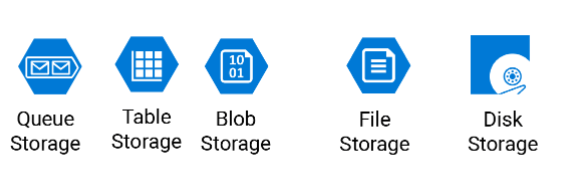
Azure has numerous ways in storing your on-premises data, but the main question is what kind of data are they? Are they archive data, or transactional data? BI data? What format are they in? file/DB? How is the data moving around? Transactional/Incremental/… as you can see each set of data have a different nature that needs to be treated differently and for that Microsoft has a variety of Azure services as mentioned.

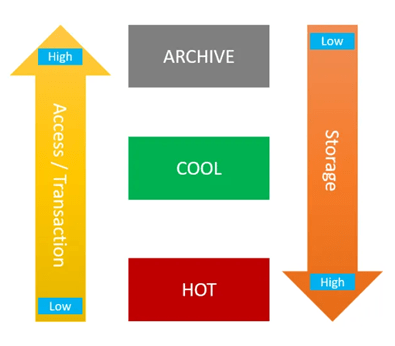
  • Azure Blob Storage (Cold Storage)             (Archiving data)
  • Azure Blob Storage (Hot Storage)               (Streaming data)
  • Azure NetApps Files                                       (File Storage)
  • Azure SQL Database                                       (Transactional database)
  • Azure Cosmos DB                                         (Geo distribution data)
  • ●      Azure Data base For PostgreSQL
  • Azure Data base For MySQL
  • … and many, many more.
  • Transfer Services

One of the most famous services that migrates your on-premises data to the cloud is Azure Database Migration Services, this service can migrate any well knows database software/application to the Azure cloud, it also can migrate your data base in a offline or online approach (minimal downtime).
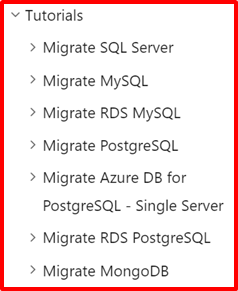
Also they are numerous ways in migrating to Azure using different services like..

  • Azure Migrate: Server Migration
  • Data Migration Assistant
  • Azure Database Migration Service
  • Web app migration assistant
  • Azure Data Box
  • Azure Data Factory
  • Azure CLI (Command Line).
  • Azure PowerShell.
  • AZCopy utility
  • Third part migration tools certified by Microsoft.
  • On-prem tools, for example SSIS.
  • Analytics and Big Data

The definition of Analytics in the data world is to have the analytics team deal with the entire data, that leads them in dealing with big data and running/process/profiling massive amount of data and for that Microsoft have provided a variety of tools depending on the analytics team needs, or the type/volume of data, some of the most well knows analytics tools within the azure are as mentioned and some of them have embedded internal ETL tools.

  1. Azure Synapse Analytics (formally knows as Azure SQL DW)
  2. Azure Data Explorer (know as ADX)
  3. AZ HD Insight
  4. Power BI
  5. … and many, many more.
  • Azure Migrate Documentation

You might be looking at the definition of migration from a different angle, it may have a different meaning like migrating VM, SQL configuration and other on-premises services, take a look at Azure Migrate Appliance under the Azure Migration documentation. 

Choose an Azure solution for data transfer.

Check out some of Microsoft’s data transfer solution, in this link (click here) you will find few scenario that can help you to understand the existing data migration approaches.

Conclusion

Migrating to Azure is very simple but needs planning, consistency and basic Azure knowledge. You may have a very successful migration, but you need to make sure that the new features in azure services are been used as needed, and finally Microsoft always has a solution for you.
Azure Analytics Using Azure Delta Lake(Databricks): A Step-by-Step Guide

If data sources are installed at a long distance from the stakeholders who control the operation, timely notifications are required.
Agriculture, mining, power generation, oil and gas, and other industries can all benefit

Technologies used: Azure Databricks, Python, pyspark, Scala, Power BI

Data sources: Sensors – like heat, humidity, water leakage, electric meters, drones sending data to iot hub.

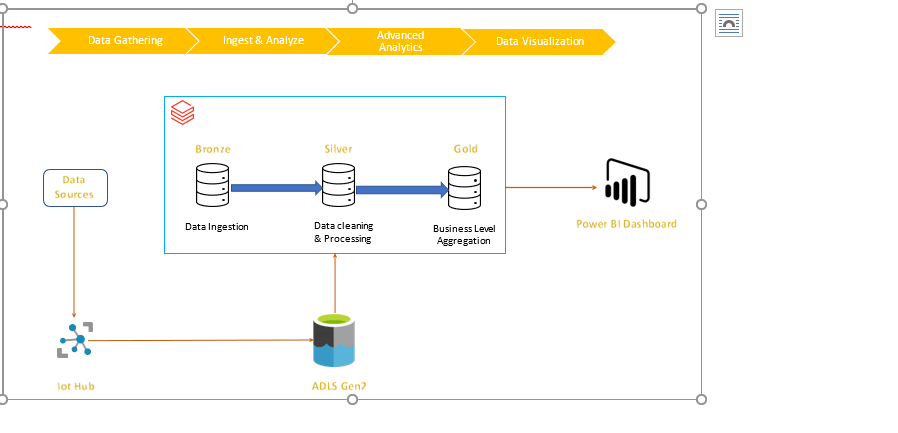
Solution description: Data from IOT sources are loaded into ADLS Gen2. A checkpoint is created, and autoloader is configured to load and maintain the data. Lastly Azure data bricks bronze, silver & gold tables are created which supplies data to power BI dashboards based on business rules.

Architecture:

Solution Details:

Step 1: Initial configuration, autoloader & load data

Data from various sources are periodically copied to iot-hub, Now, once file is loaded, autoloader tool ingests this data to azure data lake storage gen2 (ADLS Gen2) databricks mount.

Step 2: Create Delta Lake Bronze table

All raw data in csv format can be ingested to bronze table. Basically, it is complete load of all data received.

Step 3: Data processing in Silver Table

This is one of the major steps and in this solution, data processing is performed and cleaned data is saved in silver table.

Step 4: Data processing in Gold Table

In this step, as per business requirements, business logic is applied, and alerts columns are created. This is applied on current load.

Step 5: Dashboard (Power BI):

Gold table is source for Power BI dashboard. This dashboard can help user to sort the existing alert get more details about it. User can also see different analytics on the dashboard.

Based on business mandate, email notification is sent to stake holders

Code Details:

Initial Connection

import json

import csv

import pyspark

from pyspark.sql import SparkSession

configs = {“fs.azure.account.auth.type”: “OAuth”,

          “fs.azure.account.oauth.provider.type”: “org.apache.hadoop.fs.azurebfs.oauth2.ClientCredsTokenProvider”,

          “fs.azure.account.oauth2.client.id”: dbutils.secrets.get(scope = “ Scope “, key = “<your ID >”),

          “fs.azure.account.oauth2.client.secret”: dbutils.secrets.get(scope = “Scope“, key = “Your Key“),      

          “fs.azure.account.oauth2.client.endpoint”: “https://login.microsoftonline.com/—2222-497b-xxxx-XXXXXX/oauth2/token&#8221; }

adlsPath = “<<my-name>@<my-organization.com>>” # Source

mountPoint = “<Mount point Path>” # Upload Path – # Destination

print(f”adls Path: {adlsPath} “)

print(f”Client Secret : {configs} “)

display(dbutils.fs.ls(“Mount point Path “))

Autoloader configuration

# Run the following code for autoloader configuration

checkpoint_path = ‘/Mount point Path/_checkpointname/’

import json
import csv
from pyspark.sql.functions import input_file_name
cloudfile = {
  "cloudFiles.format": "csv",
  "cloudFiles.schemaEvolutionMode": "addNewColumns",
  "cloudFiles.inferColumnTypes": "true",
  "cloudFiles.includeExistingFiles": "true",
  "cloudFiles.allowOverwrites": "false",
  "cloudFiles.schemaLocation": "/Mount point Path /_checkpointname/", 
  "rescueDataColumn":"_rescued_data",
  "cloudFiles.useNotifications":"false"    
    }
# Set up the stream to begin reading incoming files from the Mount point Path location.
df = (spark.readStream.format("cloudFiles").options(**cloudfile).load('/Mount point Path/StreamingLog) withColumn("filePath",input_file_name()))  # this adds a column with file name 

Create Dataframe using new uploaded data

Here checkpoint is tracking or keeping a record of all the files that are uploaded to mountpoint. newly uploaded files those don’t have any record in checkpoint is loaded at DELTALAKE_BRONZE_PATH

# Start the stream & write the data

DELTALAKE_BRONZE_PATH = "dbfs:/FileStore/Bronze_StreamingLog "
df.writeStream\
.format("delta")\
.outputMode("append")\
.option("checkpointLocation", "/Mount point Path /_checkpointname/")\
.trigger(once=True)\
.start(DELTALAKE_BRONZE_PATH)

Create Delta Lake Bronze table

# Register the SQL table in the database
spark.sql(f"CREATE TABLE IF NOT EXISTS <Bronze_Tablename> USING delta LOCATION '{DELTALAKE_BRONZE_PATH}'") 
# Read the table
streaminglog_stats = spark.read.format("delta").load(DELTALAKE_BRONZE_PATH)
display(streaminglog_stats)

Silver & Gold Table: Once data is uploaded into the bronze table, all data cleaning and ETL can be performed on it and clean data can be saved into the silver table.

# Configure destination path
DELTALAKE_SILVER_PATH = "dbfs:/FileStore/Silver_StreamingLog "
# Write out the table
streaminglog_stats.write.format('delta').mode('overwrite').save(DELTALAKE_SILVER_PATH)
# Register the SQL table in the database
spark.sql("CREATE TABLE if not exists <Silver_Tablename> USING DELTA LOCATION '" + DELTALAKE_SILVER_PATH + "'")
# Read the table
streaminglog _stats = spark.read.format("delta").load(DELTALAKE_SILVER_PATH)
display(streaminglog _stats)

After formation of silver table, all business rules are applied, and gold table is created. This is the source for all reporting, dash boards and reporting tools, (Power BI) in our case.

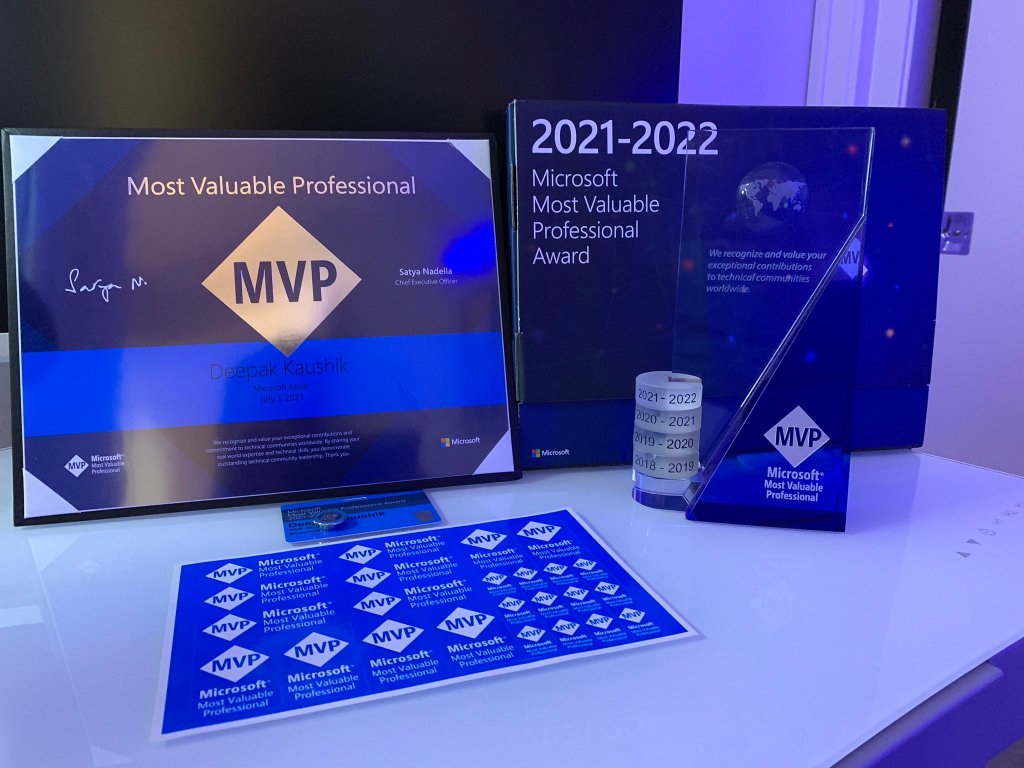
Microsoft MVP Renewal 2021-2022

I am always Grateful, Thrilled to receive the confirmation email (below) from the Microsoft Most Valuable Professional (MVP) Award team confirming my award renewal for the 2021-2022. This is my fourth consecutive award since receiving my first one on 2017.

The MVP award has provided me with some great opportunities in terms of my career growth, skill development, and various avenues to give back and help others in the IT Professional community. 

This is my 4th MVP Award and I am very obliged for this honor and for the various opportunities provided to me over time. Thank you very much for making me successful in my efforts as a MVP and community guy. It’s possible with the inspiration from the community, friends, mentors, my mentees who keep me on my toes. Finally wonderful Program Managers at Microsoft , my family and the God. Thank you!

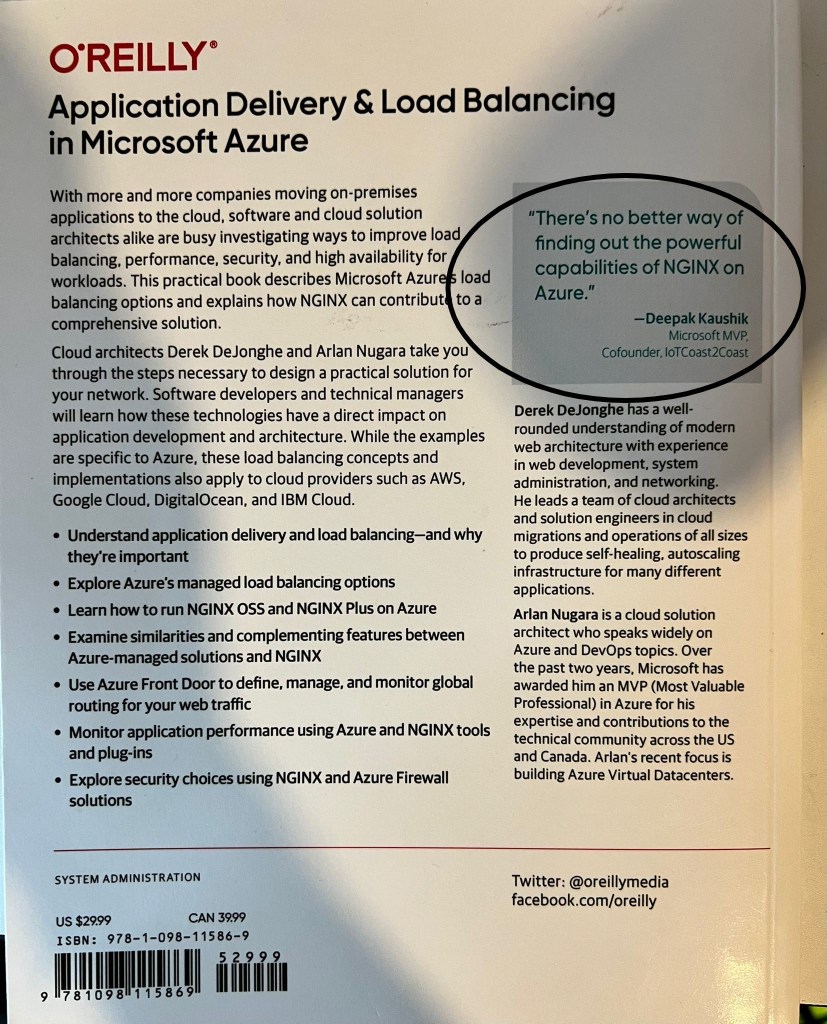
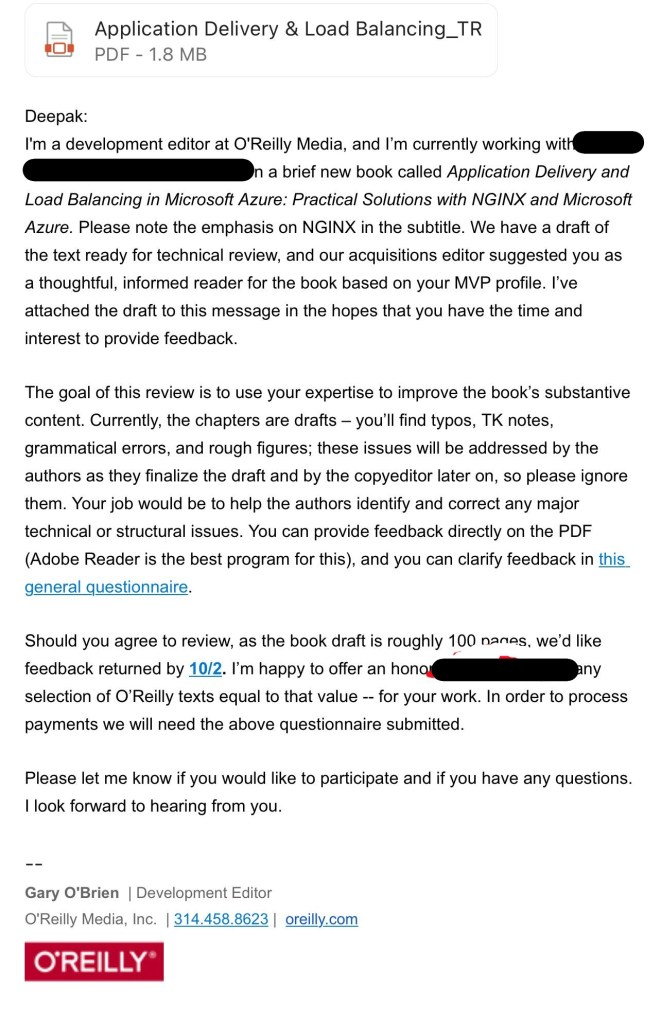
O’Reilly Books Review opportunity–Application Delivery & Load Balancing in Microsoft Azure

It’s a privilege to review the technical book “Application Delivery and Load Balancing in Microsoft Azure: Practical Solutions with NGINX and Microsoft Azure.”

My role was to assist the authors in identifying and correcting any major technical or structural errors, as well as providing up-to-date technical information.

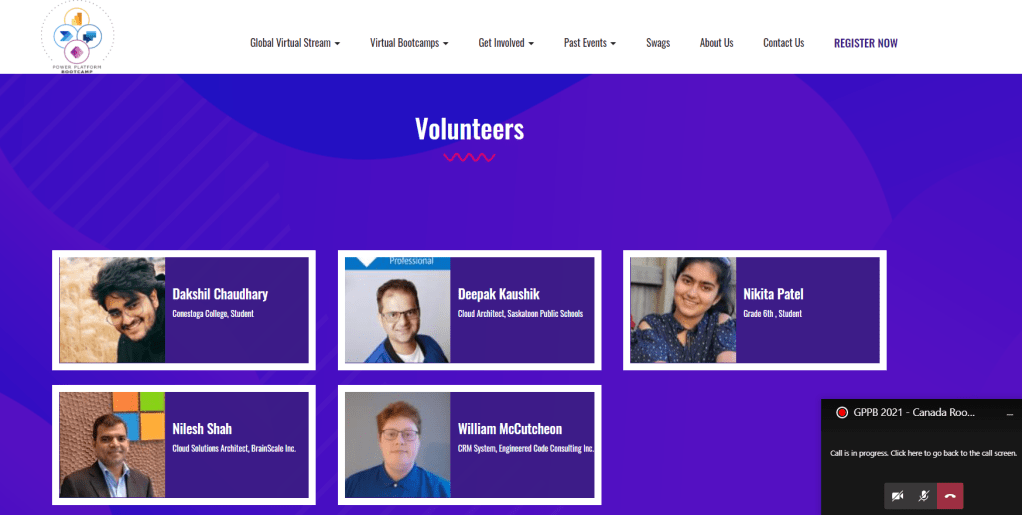
Experience Global Power Platform Bootcamp 2021 on February 19 – 20, 2021

So happy to contribute as volunteer on ‘Global Power Platform Bootcamp 2021’ with my friends!!

#GlobalPowerPlatformBootcamp#GPPB2021#PowerPlatform

Thanks everyone..