On Aug 18, I was speaking on #Microsoft365Dev at #Microsoft Reactor #Toronto#M365Dev @MSFTReactor for hosting us cc


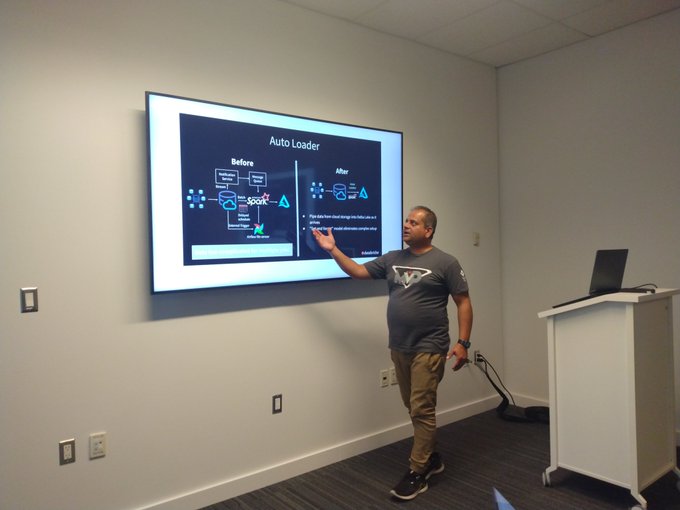


On Aug 18, I was speaking on #Microsoft365Dev at #Microsoft Reactor #Toronto#M365Dev @MSFTReactor for hosting us cc

Register here:
I love to discuss brilliant thoughts, ideas, or creative approaches to solving business challenges by #Azure#Databricks
Join me and other fantastic speakers as we talk about Azure, Databricks, Synapse, and M365.
Register for our upcoming event at the #Microsoft Reactor #Toronto on Thursday, August 18th.
#Microsoft#toronto#technicalarchitect#dataengineering#mvpbuzz
Nilesh Shah
Nik – Shahriar Nikkhah
Register here:
ARCHITECTURE OF MODERN AZURE ANALYTICS WITH DATABRICKS AUTOLOADER by Deepak Kaushik
Lake Database in Synapse by Nik Shahriar
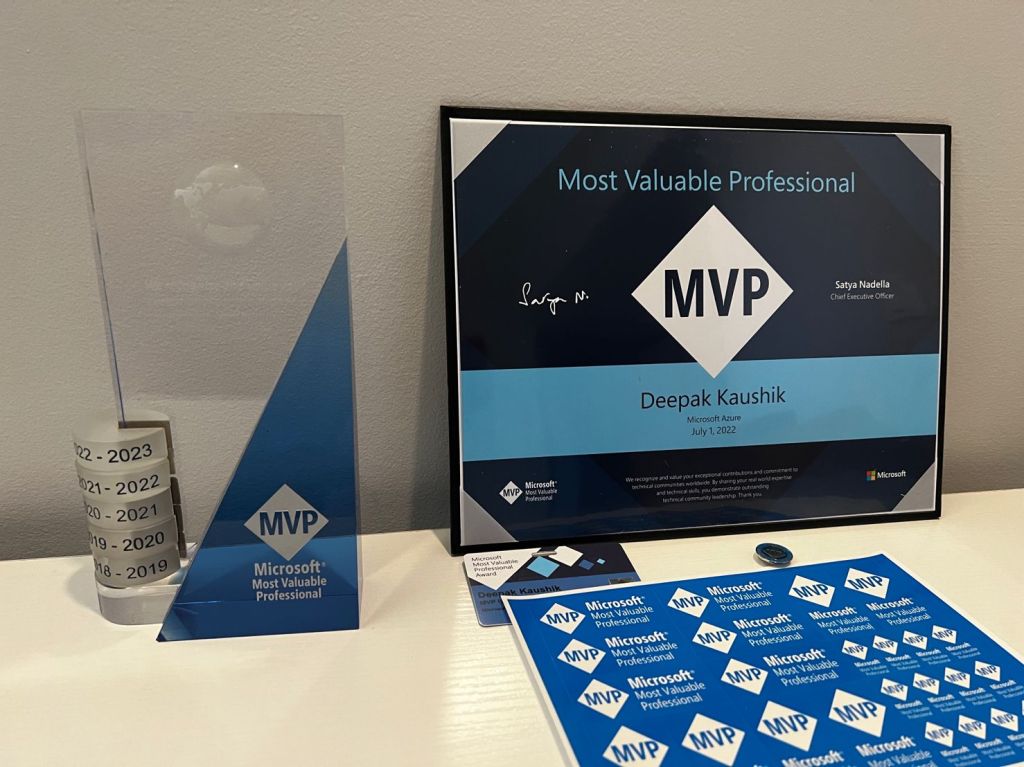
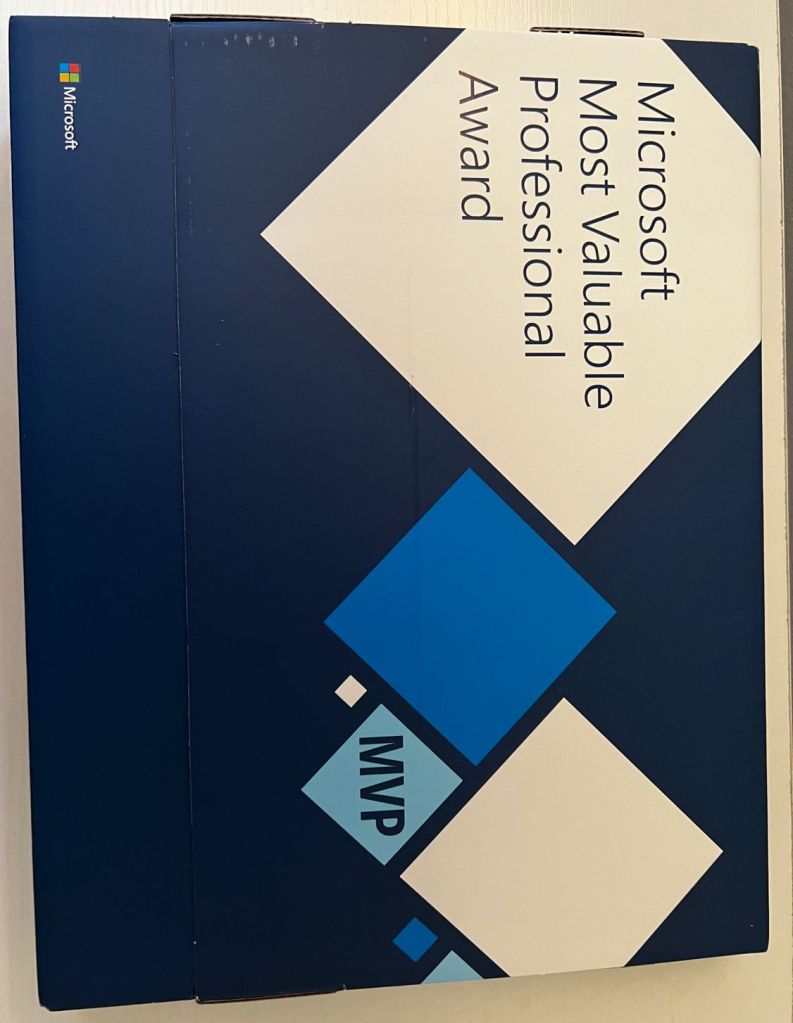
I’m pleased to have received my fifth package of Microsoft MVP Awards in the #azure category. I still feel the same excitement I did the first time.
I am inspired to contribute more every time I open an MVP Package, which serves as a constant reminder of my gratitude to the community.
Thank you for your support, Christian Talavera and Betsy Weber


#MVP #mvpbuzz #microsoftmvp #cdnmvp #azure #machinelearning #azurecloud #community #grateful #thankyou
As businesses increasingly move to the cloud, Microsoft Azure has become a popular choice for cloud computing services. Azure is a powerful platform that provides a wide range of services and tools, and staying up to date with the latest developments in the Azure technology landscape can help professionals remain competitive in the job market.
In this article, we’ll explore some of the key areas of Azure that professionals should be familiar with, including cloud migration, DevOps, artificial intelligence and machine learning, security and compliance, and internet of things (IoT).
Cloud Migration One of the most in-demand areas of Azure is cloud migration. This involves moving existing applications and services to Azure, which enables organizations to take advantage of cloud-based scalability, security, and cost savings. Professionals who are familiar with Azure migration services, such as Azure Site Recovery and Azure Database Migration Service, are in high demand as more businesses seek to move their applications and data to the cloud.
DevOps Another area of Azure that is in high demand is DevOps. This includes using Azure for continuous integration and deployment (CI/CD), as well as managing development pipelines and workflows. Azure DevOps provides a wide range of services, including Azure Repos for source control, Azure Boards for work item tracking, and Azure Test Plans for testing and release management. Professionals who are familiar with these services and how to integrate them into the software development lifecycle are highly valued in the job market.
Artificial Intelligence and Machine Learning Azure provides a wide range of services for machine learning and artificial intelligence, including Azure Cognitive Services, Azure Machine Learning, and Azure Databricks. Professionals who are skilled in these areas are in high demand, as businesses seek to use artificial intelligence and machine learning to gain insights from their data and improve their operations. Familiarity with Azure AI and ML services, as well as data science and machine learning concepts, can help professionals stand out in the job market.
Security and Compliance Security and compliance are becoming increasingly important in the cloud computing landscape, and Azure provides a wide range of tools and services to help businesses meet their security and compliance requirements. Professionals who are familiar with Azure security and compliance services, such as Azure Security Center and Azure Policy, are in high demand as businesses seek to ensure the security and compliance of their cloud-based applications and data.
Internet of Things (IoT) The internet of things (IoT) is becoming increasingly important for businesses in a variety of industries, and Azure provides a range of services for connecting, monitoring, and managing IoT devices. Azure IoT services, including Azure IoT Hub and Azure IoT Central, can help businesses connect their devices to the cloud, monitor their performance and status, and manage their data. Professionals who are familiar with these services, as well as IoT concepts and technologies, are in high demand as businesses seek to take advantage of the benefits of IoT.
In conclusion, Azure is a powerful platform that provides a wide range of services and tools for cloud computing. By staying up to date with the latest developments in the Azure technology landscape, professionals can remain competitive in the job market and position themselves for success in the rapidly evolving cloud computing industry. Whether you specialize in cloud migration, DevOps, artificial intelligence and machine learning, security and compliance, or internet of things (IoT), there are ample opportunities to grow and succeed in the Azure ecosystem.
In this article, we will be exploring how to use Azure API to create and deploy a web app on Azure.
Before we begin, let’s first understand what Azure API is. Azure API Management is a fully managed service that provides an API gateway for your APIs. It enables you to publish, secure, transform, maintain, and monitor your APIs at scale.
To create and deploy a web app on Azure, we will follow these steps:
Let’s get started!
Step 1: Create a resource group
The first step is to create a resource group, which is a logical container for resources deployed to Azure. You can create a resource group using the Azure Portal or Azure CLI. Here’s an example of how to create a resource group using Azure CLI:
sqlCopy codeaz group create --name myResourceGroup --location eastus
In this example, we’re creating a resource group named “myResourceGroup” in the “eastus” region.
Step 2: Create an App Service plan
An App Service plan is a set of computing resources that Azure uses to run your web app. You can create an App Service plan using the Azure Portal or Azure CLI. Here’s an example of how to create an App Service plan using Azure CLI:
cssCopy codeaz appservice plan create --name myAppServicePlan --resource-group myResourceGroup --sku B1 --is-linux
In this example, we’re creating an App Service plan named “myAppServicePlan” in the “myResourceGroup” resource group, with a pricing tier of B1 and running on Linux.
Step 3: Create a web app
Now that we have an App Service plan, we can create a web app. You can create a web app using the Azure Portal or Azure CLI. Here’s an example of how to create a web app using Azure CLI:
cssCopy codeaz webapp create --name myWebApp --resource-group myResourceGroup --plan myAppServicePlan --runtime "node|14-lts"
In this example, we’re creating a web app named “myWebApp” in the “myResourceGroup” resource group, running on the “myAppServicePlan” App Service plan, and using the Node.js 14 LTS runtime.
Step 4: Deploy the web app
Now that we have a web app, we can deploy our application code to it. There are several ways to deploy code to a web app on Azure, such as using Git, FTP, or Azure Pipelines. Here’s an example of how to deploy code using Git:
bashCopy code# Clone your app's Git repository
git clone https://mywebapp.scm.azurewebsites.net:443/mywebapp.git

# Change to the repository directory
cd mywebapp

# Create a new file
echo "Hello, World!" > index.html

# Add the file to Git
git add index.html

# Commit the changes
git commit -m "Add index.html"

# Push the changes to Azure
git push
In this example, we’re cloning the Git repository for our web app, creating a new file called “index.html”, adding it to Git, committing the changes, and pushing the changes to Azure. Once the changes are pushed, Azure will automatically build and deploy the new code to your web app.
Conclusion
In this article, we learned how to create and deploy a web app on Azure using Azure API. We followed four simple steps, which were to create a resource group, create an App Service plan, create a web app,
I am overjoyed to have been renewed a Microsoft Most Valuable Professional (MVP) for the 5th time in #Azure. It is an absolute honour to be recognised for the technical fraternity’s contributions.
Thank you very much #microsoft
#MVPBuzz#mvpaward#MicrosoftMVP#Canada#thankyou

In today’s world, where data is the new currency, the Internet of Things (IoT) has become a major game-changer. The Internet of Things involves connecting devices, machines, and sensors to the internet, allowing them to communicate with each other and with cloud-based applications. Microsoft’s Azure IoT Hub and Azure Central are two powerful platforms that enable organizations to harness the power of IoT. In this blog post, we’ll take a closer look at these two platforms and provide examples of how they can be used.
Azure IoT Hub is a fully managed service that enables secure and reliable communication between IoT devices and cloud-based applications. It provides a highly scalable and flexible solution for managing millions of IoT devices and processing their data. Here are some examples of how Azure IoT Hub can be used:
By using Azure IoT Hub, smart home and building solutions can be implemented that allow residents to control and monitor various aspects of their home or building, such as lighting, temperature, security, and energy usage. This data can be processed and analyzed to improve energy efficiency and reduce costs.
Industrial IoT involves the use of IoT devices in manufacturing, supply chain, and logistics. By using Azure IoT Hub, manufacturing companies can monitor their production lines in real-time, enabling them to identify bottlenecks and optimize their operations. Logistics companies can use Azure IoT Hub to track the movement of their goods and vehicles in real-time, improving supply chain efficiency and reducing costs.
Azure Central is a single-pane-of-glass management solution that provides a unified view of an organization’s resources across different cloud environments. It allows organizations to manage and monitor their resources and applications across different Azure environments, including Azure Government, Azure Commercial, and Azure China. Here are some examples of how Azure Central can be used:
By using Azure Central, organizations can manage their resources and applications across multiple cloud environments, reducing complexity and improving efficiency. For example, a company might have some applications in Azure Commercial and others in Azure Government. Azure Central provides a unified view of all these resources, enabling them to be managed and monitored from a single console.
Azure Central provides a centralized location for managing compliance and security across different cloud environments. It allows organizations to set policies and enforce compliance across their resources, reducing the risk of security breaches and ensuring that regulatory requirements are met.
In conclusion, Azure IoT Hub and Azure Central are two powerful platforms that enable organizations to harness the power of IoT and manage their resources across different cloud environments. By using these platforms, organizations can improve their efficiency, reduce costs, and achieve greater agility. With proper planning and execution, organizations can unlock the full potential of these platforms and drive innovation in their businesses.
Migrating to Azure can provide many benefits for organizations, including increased scalability, flexibility, and cost-effectiveness. However, performing the migration without any downtime can be a challenging task. In this blog post, we’ll discuss some tips and best practices for ensuring a successful Azure migration with zero downtime.
The first step in any successful migration is careful planning and preparation. Here are some key considerations:
Once the planning and preparation are complete, the next step is to replicate and test the applications and workloads in the Azure environment. This can be achieved through the following steps:
The final step is to perform the cutover and monitoring. Here are some best practices for a successful cutover:
In conclusion, a successful Azure migration and integration with zero downtime requires careful planning, thorough testing, and effective monitoring. By following the best practices outlined above, organizations can migrate their applications and workloads to Azure without any disruption to their business operations.
It’s also important to remember that every migration is different, and each organization’s needs and requirements will be unique. It’s essential to work closely with a trusted partner who has extensive experience in Azure migration to ensure a successful outcome. With proper planning and execution, an Azure migration can provide significant benefits for organizations, enabling them to achieve greater agility, scalability, and cost-efficiency.
As more and more organizations adopt the cloud for their business needs, it becomes increasingly important to establish a governance model that ensures security, compliance, and optimal usage of cloud resources. Microsoft Azure provides a comprehensive set of tools and services to enable organizations to implement a robust governance model that meets their specific needs.
In this blog post, we’ll discuss the various components of Azure Governance Model, including policies, management groups, and role-based access control (RBAC).
Azure policies are a powerful tool for defining and enforcing rules for the use of Azure resources. They allow you to specify conditions that must be met before a particular resource can be created or modified. For example, you can define a policy that requires all virtual machines to use disk encryption or restricts the types of virtual machine images that can be deployed.
Policies are created using JSON files that specify the rules and conditions that must be met. They can be applied at the management group or subscription level and can be assigned to specific resource groups, allowing you to granularly control the use of Azure resources.
Management groups provide a hierarchical structure for organizing your Azure resources. You can create management groups to reflect your organizational structure, with each group representing a department or business unit. Within each management group, you can create subscriptions and apply policies that are specific to that group.
One of the key benefits of using management groups is the ability to inherit policies from a higher-level group. This means that policies applied to a parent management group will automatically apply to all child groups and subscriptions. This simplifies the process of managing policies, as you can define them once and have them automatically apply to all relevant resources.
Role-based access control (RBAC) is a fundamental component of Azure governance model, providing a way to manage access to Azure resources. RBAC enables you to grant specific permissions to users, groups, or applications, allowing them to perform specific actions on Azure resources. You can create custom roles that define specific permissions and assign them to users or groups, or use one of the built-in roles that are provided by Azure.
RBAC is applied at the subscription or resource group level, and allows you to control access to specific resources and actions. By using RBAC, you can ensure that users have the appropriate level of access to perform their job duties while limiting access to sensitive resources.
In conclusion, Azure Governance Model is a comprehensive set of tools and services that enable organizations to implement a robust governance model that meets their specific needs. Policies, management groups, and RBAC are the key components of Azure Governance Model, providing a way to enforce rules, organize resources, and manage access to resources.
By implementing a strong governance model, organizations can ensure that their cloud resources are secure, compliant, and used optimally. Azure provides a flexible and powerful platform that can be customized to meet the specific needs of any organization, making it an ideal choice for organizations of all sizes.
 Deepak Kaushik -> Cloud Blooded Beast