ThinkForDeepak/Azure-Databricks-Change-Data-Capture-Architecture


Another architect, a friend of mine, requested me for assistance with Change Data Capture with Data Brick. I assisted him and realized it might be valuable to others as well, so I decided to share the architecture with the team.
The Delta change data feed represents row-level changes between versions of a Delta table. When enabled on a Delta table, the runtime records “change events” for all the data written into the table. This includes the row data along with metadata indicating whether the specified row was inserted, deleted, or updated.


We are going to use this table to simulate appends and update commands that are common for transactional workloads.
%sql
DROP DATABASE IF EXISTS cdf CASCADE;
CREATE DATABASE IF NOT EXISTS cdf;
USE cdf;


Please find the complete code at
https://github.com/ThinkForDeepak
%sql
CREATE OR REPLACE TEMPORARY VIEW updates
as
select 11 primaryKey, "A updated address" as address, true as current, "2021-10-27" as effectiveDate, null as endDate
union
select 99 primaryKey, "A completely new address" as address, true as current, "2021-10-27" as effectiveDate, null as endDate;

SELECT * FROM updates;

primaryKey
address
current
effectiveDate
endDate
1
2
11
A updated address
true
2021-10-27
null
99
A completely new address
true
2021-10-27
null
Showing all 2 rows.

We want to merge the view into the silver table. Specifically if the address already exists we want to set the endDate of the old record to be the effectiveDate of the new address record and change the flag for the current column to false. We then want to append the new update address as a brand new row. For completely new addresses we want to insert this as a new row.

%sql
MERGE INTO cdf.silverTable as original USING (
  select
    updates.primaryKey as merge,
    updates.*
  FROM
    updates
  UNION ALL
  SELECT
    null as merge,
    updates.*
  FROM
    updates
    INNER JOIN cdf.silverTable original on updates.primaryKey = original.primaryKey
  where
    original.current = true
) mergedupdates on original.primaryKey = mergedUpdates.merge
WHEN MATCHED
and original.current = true THEN
UPDATE
set
  current = false,
  endDate = mergedupdates.effectiveDate
  WHEN NOT MATCHED THEN
INSERT
  *

num_affected_rows
num_updated_rows
num_deleted_rows
num_inserted_rows
1
3
1
0
2
Showing all 1 rows.

%sql
select * from cdf.silverTable

primaryKey
address
current
effectiveDate
endDate
1
2
3
4
5
11
A updated address
true
2021-10-27
null
11
A new customer address
false
2021-10-27
2021-10-27
12
A different address
true
2021-10-27
null
13
A another different address
true
2021-10-27
null
99
A completely new address
true
2021-10-27
null
Showing all 5 rows.

%sql
describe history cdf.silverTable

version
timestamp
userId
userName
operation
operationParameters
job
notebook
1
2
3
4
3
2022-03-26T00:16:51.000+0000
428915142038362
guanjie.shen@databricks.com
MERGE
{"predicate": "(original.`primaryKey` = mergedupdates.`merge`)", "matchedPredicates": "[{\"predicate\":\"(original.`current` = true)\",\"actionType\":\"update\"}]", "notMatchedPredicates": "[{\"actionType\":\"insert\"}]"}
null
{"notebookId": "4233158071160993"}
2
2022-03-26T00:16:43.000+0000
428915142038362
guanjie.shen@databricks.com
WRITE
{"mode": "Append", "partitionBy": "[]"}
null
{"notebookId": "4233158071160993"}
1
2022-03-26T00:16:39.000+0000
428915142038362
guanjie.shen@databricks.com
SET TBLPROPERTIES
{"properties": "{\"delta.enableChangeDataFeed\":\"true\"}"}
null
{"notebookId": "4233158071160993"}
0
2022-03-26T00:16:36.000+0000
428915142038362
guanjie.shen@databricks.com
CREATE TABLE
{"isManaged": "true", "description": null, "partitionBy": "[]", "properties": "{}"}
null
{"notebookId": "4233158071160993"}
Showing all 4 rows.

%sql
select * from table_changes('cdf.silverTable',2,3) order by _commit_timestamp desc

primaryKey
address
current
effectiveDate
endDate
_change_type
_commit_version
_commit_timestamp
1
2
3
4
5
6
7
11
A updated address
true
2021-10-27
null
insert
3
2022-03-26T00:16:51.000+0000
11
A new customer address
true
2021-10-27
null
update_preimage
3
2022-03-26T00:16:51.000+0000
11
A new customer address
false
2021-10-27
2021-10-27
update_postimage
3
2022-03-26T00:16:51.000+0000
99
A completely new address
true
2021-10-27
null
insert
3
2022-03-26T00:16:51.000+0000
11
A new customer address
true
2021-10-27
null
insert
2
2022-03-26T00:16:43.000+0000
13
A another different address
true
2021-10-27
null
insert
2
2022-03-26T00:16:43.000+0000
12
A different address
true
2021-10-27
null
insert
2
2022-03-26T00:16:43.000+0000
Showing all 7 rows.

%python
changes_df = spark.read.format("delta").option("readChangeData", True).option("startingVersion", 2).option("endingversion", 3).table('cdf.silverTable')
display(changes_df)

primaryKey
address
current
effectiveDate
endDate
_change_type
_commit_version
_commit_timestamp
1
2
3
4
5
6
7
11
A updated address
true
2021-10-27
null
insert
3
2022-03-26T00:16:51.000+0000
11
A new customer address
true
2021-10-27
null
update_preimage
3
2022-03-26T00:16:51.000+0000
11
A new customer address
false
2021-10-27
2021-10-27
update_postimage
3
2022-03-26T00:16:51.000+0000
99
A completely new address
true
2021-10-27
null
insert
3
2022-03-26T00:16:51.000+0000
11
A new customer address
true
2021-10-27
null
insert
2
2022-03-26T00:16:43.000+0000
13
A another different address
true
2021-10-27
null
insert
2
2022-03-26T00:16:43.000+0000
12
A different address
true
2021-10-27
null
insert
2
2022-03-26T00:16:43.000+0000
Showing all 7 rows.

Generate Gold table and propagate changes
In some cases we may not want to show each data at the transaction level, and want present to users a high level aggregate. In this case we can use CDF to make sure that the changes are propaged effieciently without having to merge large amounts of data

%sql DROP TABLE IF EXISTS cdf.goldTable;
CREATE TABLE cdf.goldTable(
  primaryKey int,
  address string
) USING DELTA;
OK
%sql
-- Collect only the latest version for address
CREATE OR REPLACE TEMPORARY VIEW silverTable_latest_version as
SELECT *
    FROM
         (SELECT *, rank() over (partition by primaryKey order by _commit_version desc) as rank
          FROM table_changes('silverTable',2,3)
          WHERE _change_type ='insert')
    WHERE rank=1;

SELECT * FROM silverTable_latest_version

primaryKey
address
current
effectiveDate
endDate
_change_type
_commit_version
_commit_timestamp
rank
1
2
3
4
11
A updated address
true
2021-10-27
null
insert
3
2022-03-26T00:16:51.000+0000
1
12
A different address
true
2021-10-27
null
insert
2
2022-03-26T00:16:43.000+0000
1
13
A another different address
true
2021-10-27
null
insert
2
2022-03-26T00:16:43.000+0000
1
99
A completely new address
true
2021-10-27
null
insert
3
2022-03-26T00:16:51.000+0000
1
Showing all 4 rows.

%sql
-- Merge the changes to gold
MERGE INTO cdf.goldTable t USING silverTable_latest_version s ON s.primaryKey = t.primaryKey
        WHEN MATCHED THEN UPDATE SET address = s.address
        WHEN NOT MATCHED THEN INSERT (primarykey, address) VALUES (s.primarykey, s.address)

num_affected_rows
num_updated_rows
num_deleted_rows
num_inserted_rows
1
4
0
0
4
Showing all 1 rows.

%sql
SELECT * FROM cdf.goldTable

primaryKey
address
1
2
3
4
11
A updated address
12
A different address
13
A another different address
99
A completely new address
Showing all 4 rows.

Example that Combines Snapshots with Change Data Feed
Create an intial dataset and save this as a Delta table.
This will be source table we'll use to propogate changes downstream.

%sql DROP TABLE IF EXISTS cdf.example_source;
countries = [("USA", 10000, 20000), ("India", 1000, 1500), ("UK", 7000, 10000), ("Canada", 500, 700) ]
columns = ["Country","NumVaccinated","AvailableDoses"]

spark.createDataFrame(data=countries, schema = columns).write \
                .format("delta") \
                .mode("overwrite") \
                .option("userMetadata", "Snapshot Example 1") \
                .saveAsTable("cdf.example_source") \

streaming_silverTable_df = spark.read.format("delta").table("cdf.example_source")
streaming_silverTable_df.show()
%sql
SET spark.databricks.delta.commitInfo.userMetadata =;
ALTER TABLE cdf.example_source SET TBLPROPERTIES (delta.enableChangeDataFeed = true)
%sql
SET spark.databricks.delta.commitInfo.userMetadata =;
UPDATE cdf.example_source SET NumVaccinated = 1000, AvailableDoses = 200 WHERE COUNTRY = 'Canada';
UPDATE cdf.example_source SET NumVaccinated = 2000, AvailableDoses = 500 WHERE COUNTRY = 'India';

SELECT * FROM cdf.example_source
%sql
describe history cdf.example_source
Let's do a few more operations...

%sql
DELETE FROM cdf.example_source where Country = 'UK';
SELECT * FROM cdf.example_source;
%sql
SET spark.databricks.delta.commitInfo.userMetadata =;
INSERT into cdf.example_source
SELECT "France" Country, 7500 as NumVacinated, 5000 as AvailableDoses;
UPDATE cdf.example_source SET NumVaccinated = 1200, AvailableDoses = 0 WHERE COUNTRY = 'CANADA';

SELECT * FROM cdf.example_source
%sql
SET spark.databricks.delta.commitInfo.userMetadata =Snapshot Example 2;
INSERT into cdf.example_source
SELECT "Mexico" Country, 2000 as NumVacinated, 1000 as AvailableDoses;

SELECT * FROM cdf.example_source
Let's set up what the workflow might look like for a consumer.
This will first retrieve a point in time snapshot of the source table, then starts subscribing to incremental updates using Spark Structured Streaming and CDF.

Cleanup
%sql
DROP TABLE IF EXISTS cdf.example_source;
DROP TABLE IF EXISTS cdf.example_sink;
SATURDAY, MARCH 12, 2022 AT 8:35 AM – 11 AM CST
It’s an honor to be able to present at the Microsoft Technical Community – Bangladesh event and share my Azure experience.
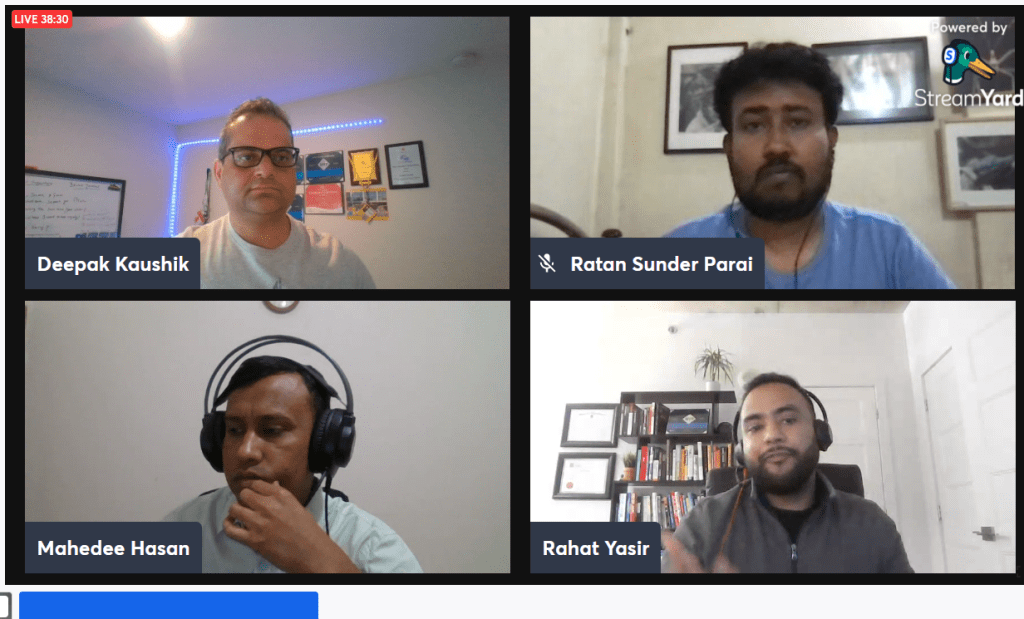
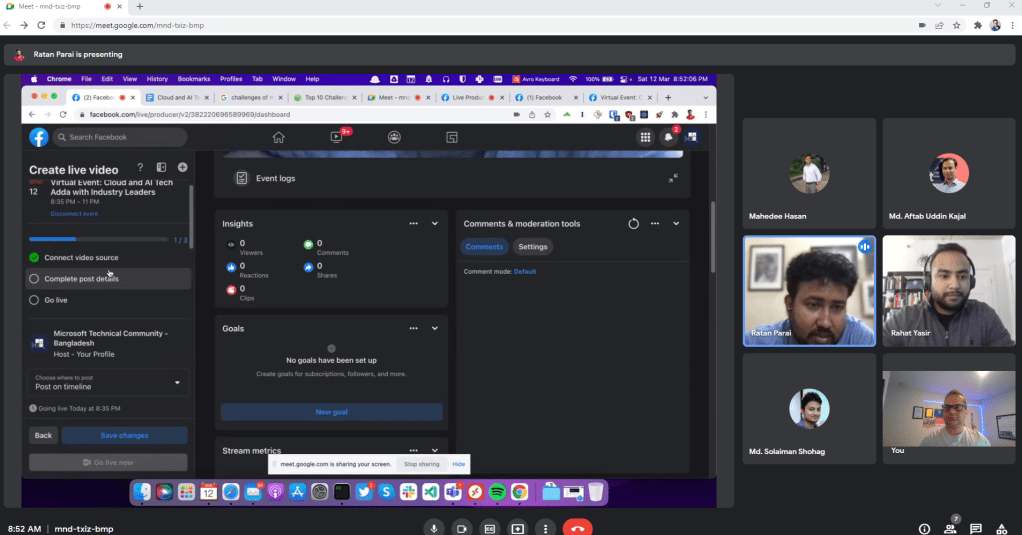

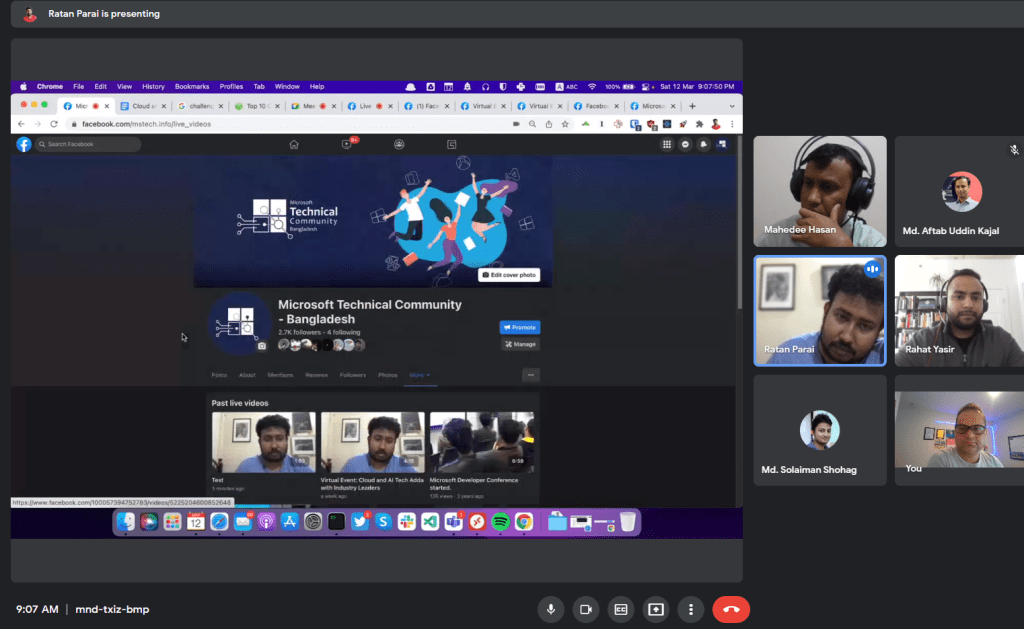

Despite the fact that it was not planned, I was invited to participate in the Canadian Global Power Platform Bootcamp 2022, and I thoroughly enjoyed sharing my Azure and Azure migration experience.
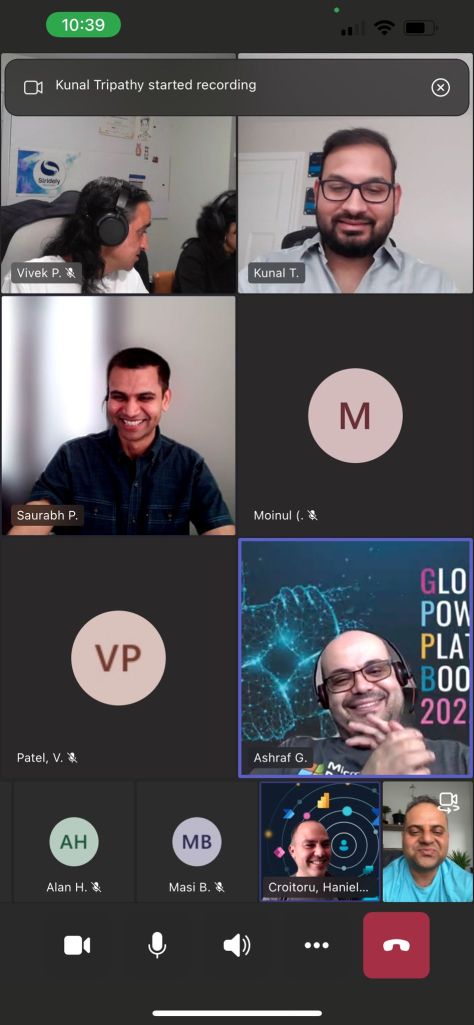

Participating in events and contributing to the technical fraternity with fellow MVPs and Microsoft friends is always a rewarding experience.
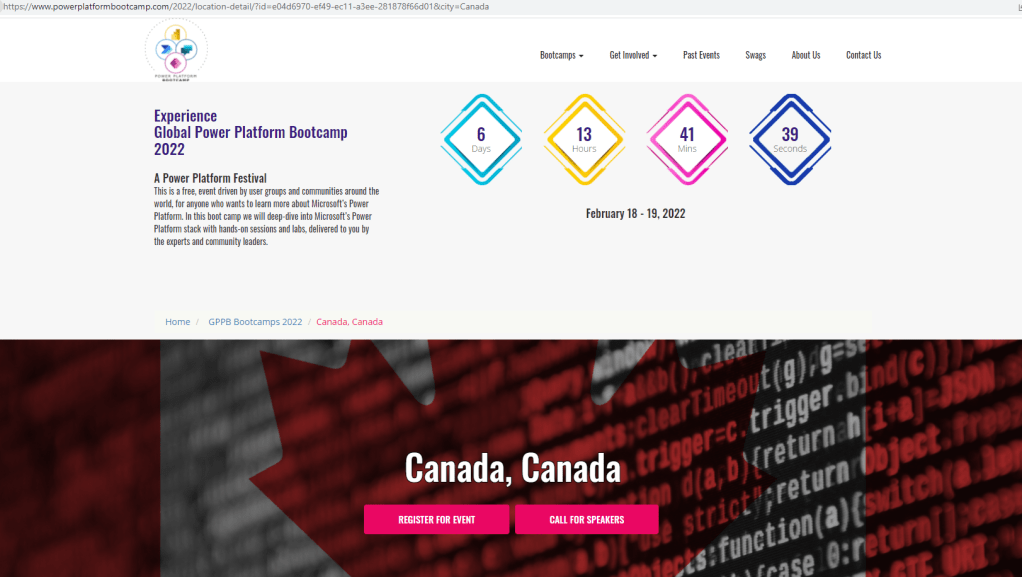
I am overjoyed to be a volunteer at the Canadian Global Power Platform Bootcamp 2022 on 19th Feb, 2022


Here is the Video recording
You won’t want to miss this demo-focused session with industry experts in Azure and AI. Let’s get together and learn how Azure and AI Model
Let’s take a look at a demo to better understand Azure’s well-architected framework. We will walk through the five pillars of the Azure Well-Architected Framework and conclude with a live demo to demonstrate the functionality.
Session Details:
Deploying an AI model in Azure ML by Rahat Yasir Microsft MVP
In this session we will see a live demo to deploy, test and host an AI model trained in Azure machine learning or, any other platform. We will also show options to configure a ML cluster with ACI and AKS. We will also talk about data drift option in AML to monitor production inferencing.
Modern analytics architecture with Databricks by Deepak Kaushik Microsoft MVP
A Power Platform Festival
This is free, event-driven by user groups and communities around the world, for anyone who wants to learn more about Microsoft’s Power Platform. In this boot camp, we will deep-dive into Microsoft’s Power Platform stack with hands-on sessions and labs, delivered to you by the experts and community leaders.

You won’t want to miss this demo-focused session with industry experts in Azure and AI. Let’s get together and learn how Azure and AI Model
Let’s take a look at a demo to better understand Azure’s well-architected framework. We will walk through the five pillars of the Azure Well-Architected Framework and conclude with a live demo to demonstrate the functionality.
Session Details:
Deploying an AI model in Azure ML by Rahat Yasir Microsft MVP
In this session we will see a live demo to deploy, test and host an AI model trained in Azure machine learning or, any other platform. We will also show options to configure a ML cluster with ACI and AKS. We will also talk about data drift option in AML to monitor production inferencing.
Modern analytics architecture with Databricks by Deepak Kaushik Microsoft MVP
Zoom Details:
Topic: Boost Azure Analytics with Databricks and Deploying an AI model in Azure
Time: Feb 12, 2022 08:30 AM Saskatchewan
Join Zoom Meeting
https://us04web.zoom.us/j/76820729684pwd=76FECPD5Ip7MLszompdrj1uyKX_LPb.1
Meeting ID: 768 2072 9684
Passcode: azure
Speakers Details:

Rahat Yasir
Director of Data Science & AI/ML at ISAAC Instruments | Microsoft MVP – AI | Canada’s Top Developer 30 U 30, 2018

Deepak Kaushik
4X Microsoft Azure MVP | Azure Architect & Advisor | Trainer | International Speaker|
Sun, February 6, 2022
9:00 AM – 10:00 AM CST
Let’s take a look at a demo to better understand Azure’s well-architected framework. We will walk through the five pillars of the Azure Well-Architected Framework and conclude with a live demo to demonstrate the functionality.
Session Details:
Register here:
Event Details:
Join Zoom Meeting
https://us04web.zoom.us/j/72532883599?pwd=RXyt-ltHvFt6UZXwUQxGe3O077Ydaj.1
Meeting ID: 725 3288 3599
Passcode: azure
Speaker:
Deepak Kaushik (Microsoft MVP) & Co-founder IoT Coast 2 Coast
Deepak is a Microsoft Azure MVP. He is Co-Founder of “Azure IoT Coast 2 Coast” focusing on Microsoft Azure & IoT technologies. He is passionate about technology and comes from a development background.
You could find his Sessions/ Recordings at https://channel9.msdn.com – Channel9, C# Corner, Blog and Deepak Kaushik -Microsoft MVP YouTube Channel.
Though Azure Advisor does most of the magic and catches the huge fishes, someone must hunt for the small yet valuable fishes. Azure Advisors are unable to recommend optimization since they are unable to distinguish the resources and tiers used by Developers and Q.A.
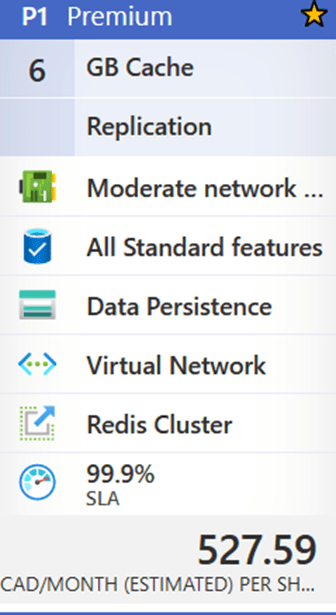
Today, I’m going to talk about an underutilized resource called ‘Azure Cache for Redis,’ which caught my eye recently. The maximum resource utilization from January to April 2021 is 2%. This resource is presently on the Premium 6 GB plan, which costs 527.59 CAD per month or $6,331.08 annually.
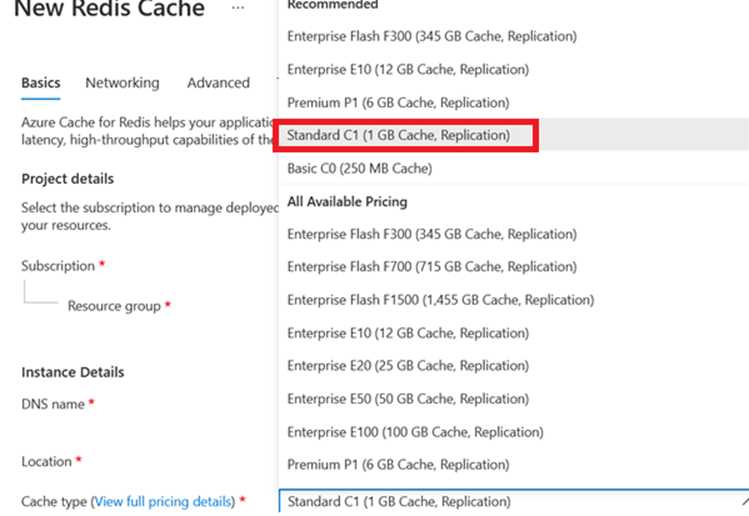
If the team could move to Standard C1 (1 GB Cache Replication) for 131.42 CAD per month, with a similar SLA (99.9%), and save 4622.62 (more than 70%) annually for just one resource at South Central.

My suggestion to the client
Suggested Tier Change :

Changing tier to Standard C1 (1 GB Cache Replication) for 131.42 CAD per month, with a similar SLA (99.9%), and save 4622.62 (more than 70%) annually for just one resource at South Central makes my client happy 🙂
 Deepak Kaushik -> Cloud Blooded Beast